REVIEW
7.9· Great
ROG Ally X Review 2026: The Windows Handheld That Earns the Premium
ROG Ally X review for 2026. ASUS’s Windows handheld at £799/$799. We cover performance, the 1080p 120Hz screen, battery, Windows friction, and exactly who should buy.

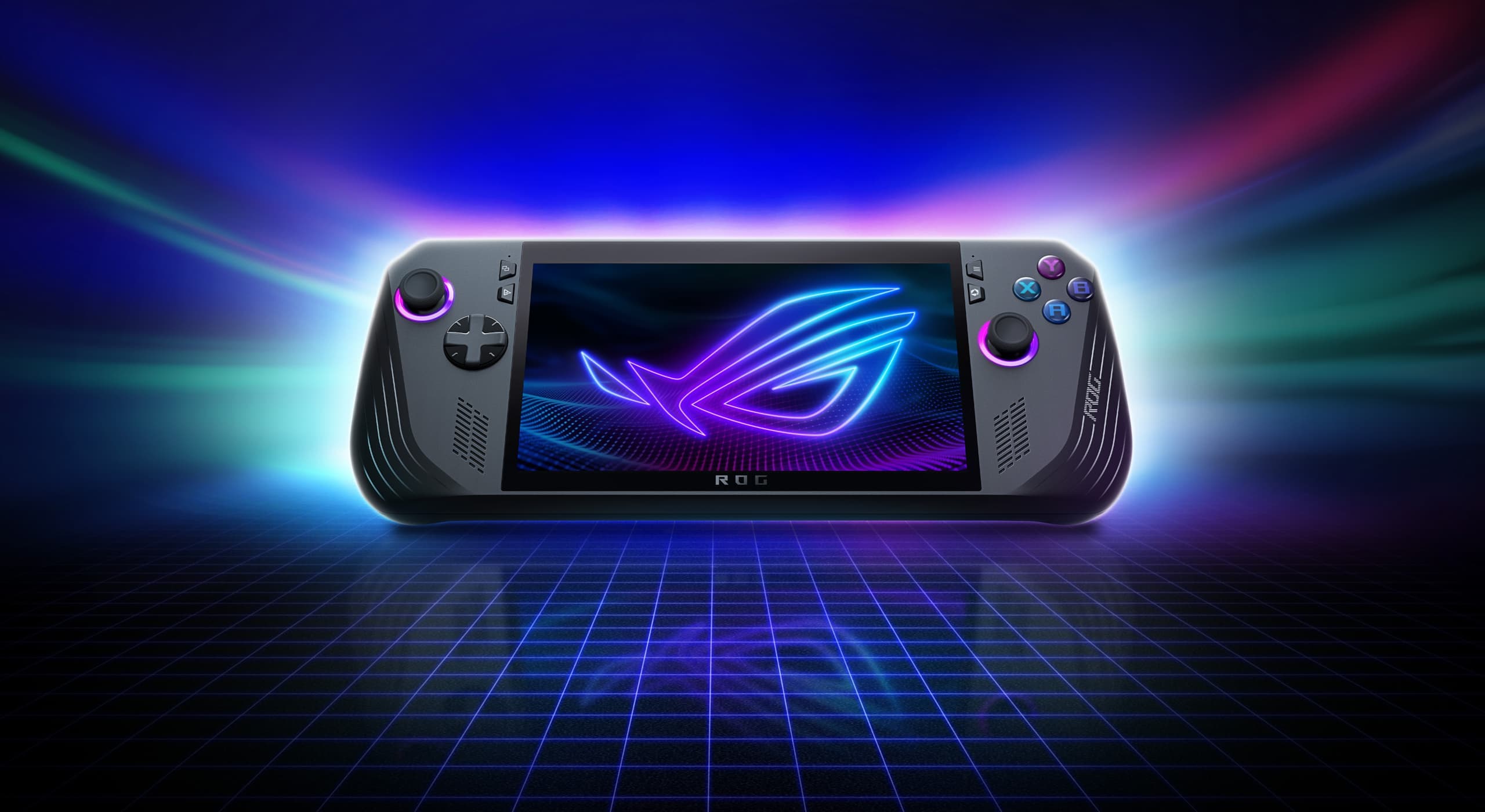
The power ceiling on a handheld matters less than where the device lives within it. The ROG Ally X is the most capable handheld gaming PC you can buy in 2026, and the honest answer to whether that matters is: it depends entirely on what you play and how you carry it. At 678 g in hand, running Cyberpunk 2077 at 1080p Medium settings with a 30W TDP, it gets warm enough in twenty minutes that you want a different approach. Find that approach and the Ally X is a serious machine. That is the shape of this review.
Product Snapshot
| Brand /Model | ASUS ROG Ally X |
| Category | Handheld gaming PC |
| UK Price | £799 |
| US Price | $799 |
| Release Date | 22 July 2024 (current 2026) |
| APU | AMD Ryzen Z1 Extreme (Zen 4, 8-core, 16-thread) |
| GPU | Radeon RDNA 3, 12 CUs at up to 2.7 GHz, 8.6 TFLOPS |
| Display | 7-inch IPS LCD, 1920×1080, 120 Hz, FreeSync Premium, 500 nits |
| RAM | 24 GB LPDDR5X-7500 |
| Storage | 1 TB NVMe M.2 2280 (user-replaceable, full-size) |
| Battery | 80 Wh |
| OS | Windows 11 Home + Armoury Crate SE |
| Weight | 678 g |
| Connectivity | Wi-Fi 6E, Bluetooth 5.4, USB-C 4 with Thunderbolt-class speeds, microSD UHS-II |
| Best Alternatives | Steam Deck OLED, Lenovo Legion Go S, Nintendo Switch 2 |
Design and Build
Picking up the Ally X after the original Ally, the first thing you register is the grip redesign. The handles are deeper and more sculpted, and the textured finish on the rear panel gives your palms something to hold onto during a long session. This is not a small upgrade. The original Ally had a slightly slippery quality in warm hands; the X addressed it. The form factor is recognisably the same machine, but the ergonomics are meaningfully better.
That said, 678 g is a real number. It is 38 g heavier than the Steam Deck OLED at 640 g and 144 g heavier than the Nintendo Switch 2 at 534 g. On a train journey of an hour or under, the weight sits fine. Held horizontally for two or three hours, the Ally X earns its fatigue in a way the Steam Deck OLED does not quite match. How much this matters to you is a function of session length, and only you can answer that.
The cooling vents sit at the top edge and push heat upward and away from your hands when held in the gaming position. This is a better thermal routing than the original Ally’s bottom-facing exhaust, which warmed palms noticeably in summer. The USB-C 4 port on the right side supports display-out, charging, and Thunderbolt-class speeds for external storage. MicroSD UHS-II sits on the base. The build quality throughout is firm: no flex in the display assembly, no rattle in the triggers. For a handheld PC at this price, that is the correct standard.

Performance
In Cyberpunk 2077 at Medium settings, 1080p, with the TDP at 17W CPU and 13W GPU in Manual Mode (more on this below), you land around 35 to 40 fps with frame timing that stays consistent across a two-hour session. Push to 25W in Performance Mode and the frame rate climbs toward 45 to 50, but the device runs noticeably hotter and the fan pitch rises to a pitch you feel rather than just hear. The 35 to 40 fps figure is the number you want for a sofa session; the 50 fps figure at 25W is the number that benchmarks quote and practice walks away from.
Baldur’s Gate 3 at High settings, 1080p, at 15W TDP holds a consistent 45 to 50 fps in most areas. This is one of the Ally X’s strongest showings: BG3 is a relatively well-optimised title for the Z1 Extreme, and the 24 GB of LPDDR5X-7500 RAM means you are not hitting memory pressure that tanks frame pacing in the way that 16 GB machines do in the late-game areas. Helldivers 2 at Medium, 1080p, at 15W sits around 40 fps with occasional dips to 35 when extraction zones are busy. Playable, not pristine.
Indie titles such as Hades II, Hollow Knight: Silksong, and Celeste run at native 1080p 120 fps capped with TDP at 8W. At 8W the fan is inaudible on a quiet train, and the battery cost drops to roughly 4.5 hours, which is enough for a return commute. That is the version of the Ally X that rewards daily carry.
Operator tip: in Armoury Crate SE, navigate to the Command Centre overlay (press the Armoury Crate button or use the side button remapped to it) and switch the power profile from Performance to Manual Mode. In Manual Mode, set CPU TDP to 17W and GPU TDP to 13W. The default Performance Mode applies a 25W blanket profile that runs the GPU too hot for sustained handheld use, which means the fan spins hard and the chassis warms past comfortable within fifteen minutes of a demanding game. The 17W CPU / 13W GPU split keeps temperatures manageable, the fan quieter, and the session length longer. Per-game saves do not persist across reboots in Manual Mode, so set this each session or create a custom profile via Settings > Operating Mode > Saved Profiles and name it something you will find again.
Display
A 7-inch 1920×1080 IPS LCD at 120 Hz with FreeSync Premium is the Ally X‘s screen specification, and the gap between that description and real-world use is worth addressing directly. At 1080p on a 7-inch panel, pixel density is 314 ppi. That is enough that Windows desktop text and UI elements look sharp if you scale to 150 per cent in Display Settings, which is what the device defaults to. At 100 per cent scale, UI elements are physically too small for comfortable touch interaction. At 150 per cent they are usable. This is a genuine distinction from the Steam Deck, which runs SteamOS with a UI designed around the 800p 7-inch panel from the ground up, and from the Switch 2’s 1080p panel, which runs a Nintendo OS with UI elements sized for the hardware.
The 120 Hz panel with FreeSync Premium is the display’s headline advantage. In titles that run at 60 to 90 fps on the Ally X, the variable refresh rate removes screen-tear without the input-lag penalty of V-Sync. In practice, this is most noticeable in action-heavy titles: Helldivers 2 and Cyberpunk 2077 both benefit from the range between 40 and 60 fps where the display adapts rather than stutters.
Colour accuracy and brightness land in acceptable rather than impressive territory. The Steam Deck OLED’s panel has a material advantage in contrast, black depth, and colour vibrancy. The Ally X’s IPS LCD looks fine in a well-lit room and noticeably flat in dim environments where OLED’s self-lit pixels hold their ground. The Switch 2’s LCD is a closer comparison: both are IPS, both are 1080p, and both show the same limitations relative to OLED. If display quality is the deciding factor, the Steam Deck OLED is the panel to have. The Ally X trades display quality for a higher-resolution, higher-refresh-rate screen that supports PC-grade VRR.

Battery and Thermals
The Ally X ships with an 80 Wh battery, which is a 30 per cent increase over the original Ally’s 40 Wh cell. This matters in practice. Where the original Ally would deplete fully in roughly two hours of a demanding game, the Ally X covers three to three and a half hours under the same load. That is the difference between a medium train journey and a long one.
Real-world figures from sustained play sessions:
- Cyberpunk 2077, Medium, 1080p, 17W/13W Manual Mode: approximately 2.5 to 3 hours. Enough for a flight between UK cities; short of a transatlantic crossing.
- Baldur’s Gate 3, High, 1080p, 15W TDP: approximately 3 to 3.5 hours. A comfortable afternoon session without worrying about a wall socket.
- Hades II, 8W TDP: approximately 4 to 5 hours. The most efficient configuration for daily carry.
- Streaming via Xbox Game Pass cloud, 5W TDP: approaching 6 hours, though this trades local processing for network dependency.
The vendor’s “2 to 7 hours” range is technically accurate and practically useless. The realistic spread for handheld gaming sits between 2.5 and 5 hours, determined by TDP setting rather than the title. Thermally, the 17W/13W Manual Mode profile keeps the grip comfortable throughout; at 25W Performance Mode the top edge gets warm enough to notice when you reach for the right trigger, and the fan runs at low-laptop-fan pitch. Drop to 15W and the fan reduces to a soft hum. At 8W in a light game it is inaudible.
Software Experience
Windows 11 on a handheld is a trade rather than a problem. What you gain: the full PC game library, Xbox Game Pass including day-one PC titles, access to every storefront (Steam, Epic, GOG, Battle.net, the Microsoft Store), and the ability to run any PC peripheral or accessory you already own. What the trade costs you: a sleep and resume cycle that is slower and less reliable than SteamOS, touchscreen scaling that requires manual adjustment per application, and the occasional Windows update that interrupts a session or a boot.
Armoury Crate SE is ASUS’s attempt to build a handheld launcher on top of Windows, and in 2026 it is meaningfully better than the version that shipped with the original Ally. The game library auto-populates from Steam and the Microsoft Store. The Command Centre overlay provides quick access to TDP profiles, fan curves, and frame rate limits without leaving your game. Suspend and resume, the area where SteamOS has consistently held an advantage, still lags: the Ally X’s Windows suspend is reliable roughly 85 to 90 per cent of the time. The other 10 to 15 per cent produces a session that either freezes on resume or draws a full reboot. SteamOS’s near-instant suspend and resume remains a genuine advantage for the Steam Deck, particularly for short-burst commute play.
Game Mode, which disables background Windows processes to dedicate resources to the running title, works as intended for most Steam and Game Pass titles. A handful of games with anti-cheat or launcher requirements (Destiny 2, some EA titles) behave inconsistently in Game Mode and run more reliably through the standard Windows desktop. The Wi-Fi 6E radio with a mesh network that supports the 6 GHz band is noticeably faster for Game Pass cloud gaming than a standard Wi-Fi 5 router connection: latency in the 6 GHz band runs 5 to 8 ms lower in typical home environments, which matters when you are running Forza Horizon 5 from the cloud at 60 fps.
Who It’s For/Who Should Skip It
Buy it if:
- You have a Steam or Xbox Game Pass library of PC games and want to play them away from your desk.
- You need the full Windows environment: specific storefronts, modding tools, or software that only runs on Windows.
- You want a device that docks to a monitor or TV via Thunderbolt-class USB-C and doubles as a capable desktop replacement for light workloads.
- Session length is one to two hours and the 678 g weight is not a daily fatigue issue for your build and carry style.
- You play a mix of AAA and indie titles and want a single device that handles both without mode-switching hardware.
Skip it if:
- Reliable instant sleep and resume is non-negotiable for your commute pattern.
- Display quality in dim environments matters to you: the Steam Deck OLED’s panel is substantially better.
- You play primarily Nintendo first-party titles, in which case the Switch 2 is the only platform those games run on.
- You hold a device for three or more hours in a single session: 678 g earns its weight over time in a way that lighter alternatives do not.
- The £799/$799 price point is beyond the budget you have available for the category.
Alternatives
Steam Deck OLED (from £479/$549): Valve’s handheld is lighter at 640 g, has a display that is materially better for dim-room play, and runs SteamOS with the most consistent sleep-resume cycle in the handheld PC category. It is also less powerful: the Ally X’s Z1 Extreme outperforms the Deck’s APU in AAA titles by a margin that shows up clearly in Cyberpunk 2077 and Helldivers 2. The Deck’s SteamOS library is narrower than Windows in theory, though Proton compatibility covers most of the Steam catalogue. For players whose library lives in Steam and who value display quality and ergonomic lightness over peak performance, the Deck OLED is the stronger choice. For players whose library spans multiple PC storefronts or who need Windows specifically, the Ally X is.
Lenovo Legion Go S (from £499/$549): The Legion Go S runs on the Z1 Extreme with a SteamOS option, which gives it closer to the Deck’s software smoothness while retaining most of the Ally X’s APU performance. The 8-inch display is larger but the resolution sits at 1920×1200, adding a little vertical height that benefits desktop-mode Windows use. Battery capacity varies by configuration. For buyers who want the Z1 Extreme’s performance headroom but prefer SteamOS’s reliability over Windows, the Legion Go S is a considered alternative. It costs less than the Ally X and gives up the Ally X’s build quality refinements and USB-C 4 connectivity. That trade is worth making for some buyers.
Nintendo Switch 2 (from £395.99/$449.99): The Switch 2 is not a direct competitor to the Ally X in the performance sense, but it occupies the same handheld carry category and deserves an honest comparison. The Switch 2 is lighter, has a first-party Nintendo library that does not exist on any other platform, and offers a docked-to-TV mode that the Ally X can replicate only with additional accessories. It cannot run the PC game library that makes the Ally X useful for Steam and Xbox Game Pass owners. Each device wins for a different player: the Switch 2 wins on Nintendo titles, portability, and simplicity; the Ally X wins on PC library breadth and raw performance. They are not substitutes; they are answers to different questions.
Scoring
Performance: 9.0/10. The Z1 Extreme and 24 GB of LPDDR5X deliver the strongest sustained performance in the handheld PC category, running Cyberpunk 2077 at 1080p Medium and 35 to 40 fps in Manual Mode where comparable machines struggle to hold 30.
Display: 7.0/10. The 1080p 120 Hz IPS panel with FreeSync Premium is capable in well-lit conditions, but it loses contrast depth and colour vibrancy to the Steam Deck OLED’s panel in dim-room play, and the LCD’s performance is average for the price tier.
Build and Ergonomics: 8.0/10. The redesigned grips and improved thermal routing over the original Ally are real improvements, but 678 g is weight that accumulates over a long session, and the device is not the most comfortable option in the category by mass alone.
Battery and Thermals: 7.5/10. The 80 Wh cell is a significant upgrade from the original Ally and delivers 2.5 to 5 hours depending on TDP, but sustained AAA gaming at demanding settings still burns through the battery in under three hours, and thermal management requires manual profile adjustment to stay comfortable in hand.
Software and Value: 8.0/10. Windows 11 with Armoury Crate SE gives access to the full PC library and every major storefront, which justifies the £799 / $799 price for the right buyer, but the unreliable suspend cycle and scaling friction mean you pay for that breadth in daily usability.
Average: 7.9/10.
Verdict
The ROG Ally X is the most powerful handheld gaming PC you can carry in a bag, and it earns that status in titles that demand it. Cyberpunk 2077 at 1080p in your hands, Baldur’s Gate 3 at High settings on a train, the full Steam and Xbox Game Pass library without a USB boot drive or Proton compatibility check: these are the Ally X’s genuine strengths. The cost is a display that cannot match the Steam Deck OLED in a dark room, a weight that accumulates over long sessions, and a Windows software layer that asks more of you than SteamOS does. Those costs are real and they need naming alongside the performance numbers.
Decision rule: if your library is on Steam and you want peak handheld PC performance, the Ally X is the machine; if display quality and sleep reliability matter more than raw performance, look at the Steam Deck OLED; if you want Nintendo first-party titles or a lighter device for three-hour sessions, the Switch 2 is a different kind of answer to a different question.
Where to Buy
See the full 2026 handheld gaming roundup for side-by-side comparisons and current pricing across the Ally X, Steam Deck OLED, Legion Go S, and Switch 2. For a broader look at where the handheld category is heading, read our console and handheld trends piece for 2026 and 2027.
FAQ
Is the ROG Ally X worth buying in 2026? The ROG Ally X is worth buying in 2026 if your library lives on Steam or Xbox Game Pass and you want to play AAA titles at 1080p away from your desk. It delivers the strongest handheld PC performance at £799 / $799. If you primarily play Nintendo titles or want a lighter device for sessions over two hours, the budget is better directed elsewhere.
ROG Ally X vs Steam Deck OLED: which should I buy? Buy the ROG Ally X if you need Windows, access to multiple storefronts, or the performance headroom for modern AAA titles at 1080p. Buy the Steam Deck OLED if display quality in dim environments matters, if you rely on instant sleep-resume for commute sessions, or if your library is entirely on Steam and you want a lighter device. Both machines are capable; they reward different use patterns.
Can the ROG Ally X run AAA games well? Yes, at 1080p with consistent frame pacing when the TDP is set correctly. Cyberpunk 2077 at Medium and 17W / 13W Manual Mode holds 35 to 40 fps with stable frame timing. Baldur’s Gate 3 at High and 15W holds 45 to 50 fps across most areas. Helldivers 2 at Medium and 15W sits around 40 fps. These are session-length figures rather than peak benchmark numbers, and for handheld play the distinction is what counts.
What is the battery life of the ROG Ally X? Realistic battery life runs from 2.5 hours under a demanding AAA title at 17W / 13W Manual Mode to 4 to 5 hours in indie titles at 8W TDP. Baldur’s Gate 3 at 15W gives 3 to 3.5 hours. Cloud gaming via Xbox Game Pass at 5W approaches 6 hours. The 80 Wh cell is a real step forward from the original Ally’s 40 Wh, and where you land in the range is determined by TDP setting more than by game choice.
Does the ROG Ally X work with Xbox Game Pass? The Ally X works with Xbox Game Pass fully: both the PC download library and cloud gaming via the Xbox app run through Windows 11. Cloud gaming tops out at 60 fps on the 1080p display, and the Wi-Fi 6E radio keeps latency lower on compatible home networks. The full PC Game Pass catalogue installs as it would on any Windows PC, which is one of the Ally X’s clearest practical advantages over SteamOS-based alternatives for Xbox subscribers.
Is Windows 11 a good handheld OS? Windows 11 on the Ally X is capable and asks more of you than SteamOS does. Sleep and resume works around 85 to 90 per cent of the time; the rest requires a reboot. Touchscreen scaling needs manual adjustment per application, and updates occasionally interrupt sessions. In exchange you get the full PC ecosystem, every storefront, and desktop-class peripheral support. For players whose libraries are spread across Steam, Xbox Game Pass, and other PC platforms, Windows earns that friction. For Steam-only players, SteamOS is a smoother daily experience.
Can the ROG Ally X be docked to a TV? The Ally X connects to a TV or monitor via its USB-C 4 port, which supports DisplayPort Alt Mode at up to 4K 60 Hz. A USB-C hub or dock with HDMI adds wired peripherals and charging simultaneously. ASUS sells a dedicated ROG Ally Gaming Charger Dock separately. In docked mode the device draws from the charger, so desk sessions are unlimited. APU performance is identical handheld or docked; a cooling pad helps the thermals in long desk sessions. See our 2026 PC gaming accessories guide for dock and hub options.
How does the ROG Ally X compare to the original ROG Ally? Three meaningful upgrades: the battery doubles from 40 Wh to 80 Wh, the grip ergonomics are redesigned with deeper textured handles, and the RAM steps from 16 GB to 24 GB LPDDR5X. The extra RAM removes the frame-pacing drops the original showed in memory-intensive late-game areas. The APU is the same Z1 Extreme. If you own an original Ally and battery life is the frustration, the X addresses it directly. If performance is your concern, the headroom is unchanged. See how the Ally X sits in the broader 2026 device landscape.
7.9
Great
SpawningPoint Verdict
Review summary
ROG Ally X review for 2026. ASUS’s Windows handheld at £799/$799. We cover performance, the 1080p 120Hz screen, battery, Windows friction, and exactly who should buy.