ROUNDUP
Best PC Gaming Accessories for 2026: keyboards, mice, audio and desk upgrades
A practical guide to PC gaming accessories that deliver real upgrades, from mice and keyboards to audio, monitors and desk comfort, with quick picks for every budget.

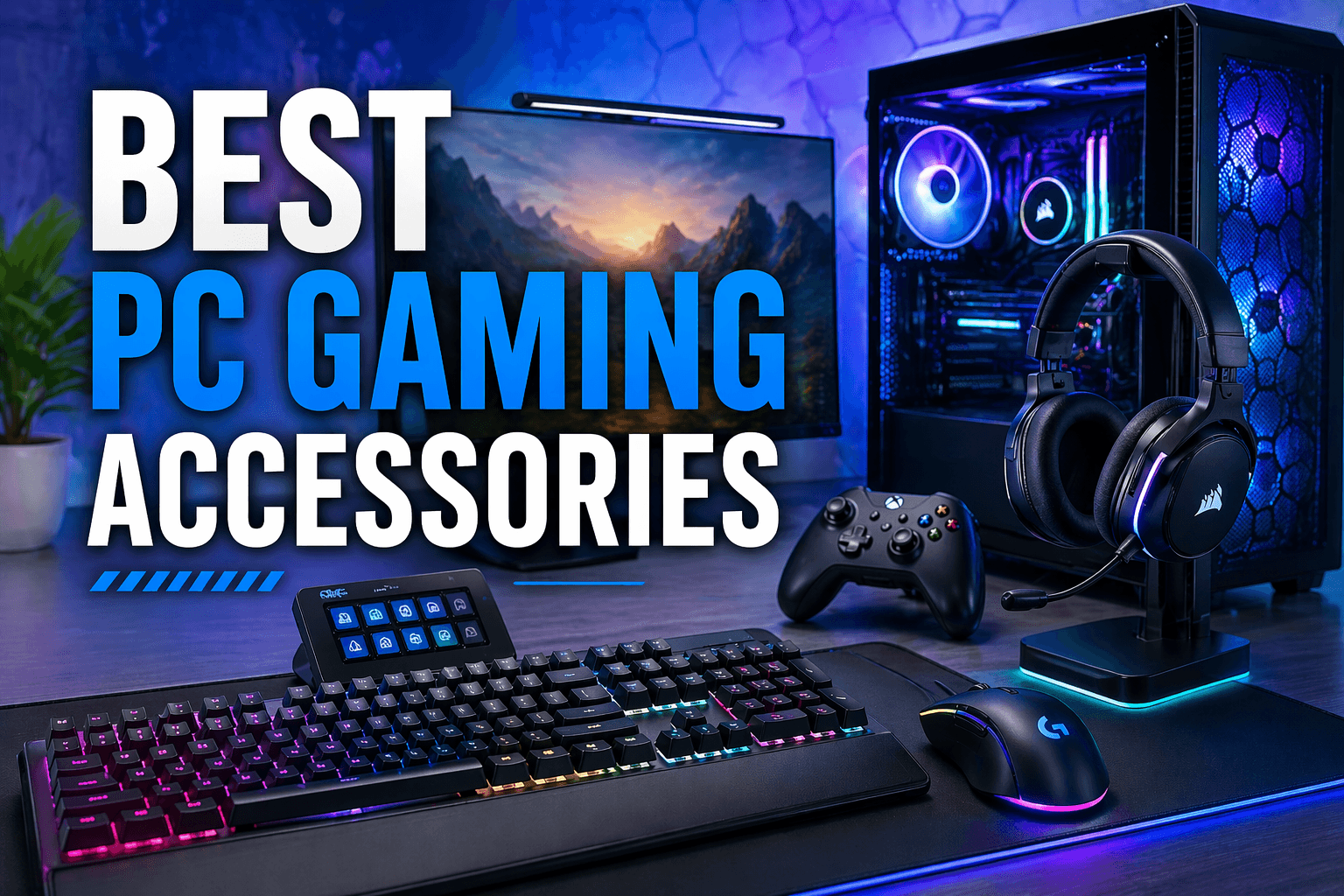
A good PC can feel average with the wrong peripherals. The best upgrades are usually not a new GPU, they are the things you touch and hear every session: mouse, keyboard, audio, display setup, and a few comfort fixes that stop fatigue. This guide focuses on accessories that make a noticeable difference without turning into a spec war.
Related on SpawningPoint
- Gaming: news, reviews and guides
- Best PS5 Games of 2025: Essential Picks, Rankings and Guides
- Forza Horizon 5 PS5 Review
At a glance: the upgrades that most people notice
- A lightweight wireless gaming mouse: Lower fatigue, cleaner aim, fewer cable snags.
- A keyboard you can type on for hours: Switch feel and stabilisers matter more than RGB.
- A USB mic or headset mic upgrade: Clear comms changes multiplayer more than most settings tweaks.
- A monitor arm and proper desk height: Instant posture improvement and more space for mousing.
- Wired Ethernet or a quality Wi‑Fi adapter: Reduces spikes and dropouts that ruin ranked matches.
- A big mouse mat and basic cable management: Cheap, tidy, and surprisingly impactful.
Quick picks (Amazon)
These are category links, not single-product links, because stock and model names change constantly. Each link takes you to a curated Amazon search for the right type of accessory.
- Best lightweight wireless gaming mice
- Best ergonomic gaming mice for large hands
- Mechanical gaming keyboards (hot‑swappable, quiet options)
- Low-profile keyboards for shared spaces
- Gaming headsets with a good mic
- USB microphones for gaming/streaming
- Monitor arms for ultrawide or 27–32 inch displays
- Large desk mats (900×400 or similar)
- Ethernet cable (Cat6) and simple switches
- Wi‑Fi 6E/Wi‑Fi 7 USB or PCIe adapters
- USB-C hubs for gaming laptops
- Surge protector/UPS for gaming PC
How to choose PC gaming accessories that actually improve your experience
Start with what you touch
If you play for hours, your mouse and keyboard are the real interface. Prioritise comfort, consistent clicks, and a shape that suits your grip. Chasing ultra-high polling rates matters far less than a mouse you can control without strain.
Audio is a competitive advantage, but clarity beats volume
A decent headset helps with positioning, but your team will notice your microphone quality even more. If you play a lot of co-op or ranked, consider either a headset with a genuinely good mic or a separate USB mic.
Stability wins matches
A smoother connection often does more for online play than another graphics preset tweak. If you can run Ethernet, do it. If you cannot, upgrade the Wi‑Fi side with a better router position or a modern adapter.
Comfort upgrades are the best value per dollar
Monitor height, wrist support, and a mouse mat that gives you space are cheap changes with day-one impact. If you only buy one ‘boring’ item, make it a monitor arm or a proper desk setup adjustment.
The best PC gaming accessories in 2026, by category
Gaming mouse

- Look for a shape that matches your grip (palm/claw/fingertip).
- Wireless is the default now for convenience, just make sure it supports a reliable 2.4GHz dongle.
- If you get wrist pain, try an ergo shape before you spend on anything else.
Amazon links: Shop lightweight wireless mice | Shop ergonomic gaming mice
Keyboard

- Pick based on feel and noise, not marketing. Stabilised keys and a solid case reduce rattle.
- If you share a room, prioritise quieter switches and consider O‑rings or dampening.
- A detachable cable is useful for travel and repairs.
Amazon links: Shop mechanical gaming keyboards | Shop quieter mechanical keyboards
Headset or separate mic

- If you mainly play competitive shooters, closed-back headsets help isolate sound.
- If you mostly play with friends, mic clarity and comfort matter more than ‘surround’ labels.
- A simple USB mic on a cheap boom arm often beats many headset mics for voice quality.
Amazon links: Shop gaming headsets with good mics | Shop USB microphones
Monitor and mounting

- Refresh rate and motion handling are the headline, but positioning is the daily win.
- A monitor arm helps you centre the display, free desk space, and keep cables tidy.
- If you are on a laptop, consider a stand plus an external keyboard and mouse.
Amazon links: Shop gaming monitors (144Hz+) | Shop monitor arms
Desk essentials (mat, cable management, lighting)

- A large desk mat gives you consistent glide and makes small desks feel bigger.
- Cable clips and Velcro straps stop snagging and reduce clutter.
- Bias lighting behind the monitor can make long sessions easier on the eyes.
Amazon links: Shop large desk mats | Shop cable management kits
Connectivity (Ethernet, Wi‑Fi adapter, USB hubs)

- If you get random spikes, a wired connection is the most reliable fix.
- For desktops on Wi‑Fi, a modern PCIe card with external antennas is often better than a tiny USB dongle.
- Gaming laptops often need a USB-C hub for Ethernet, extra USB ports, and a stable desk setup.
Amazon links: Shop Cat6 Ethernet cables | Shop Wi‑Fi 6E/Wi‑Fi 7 PC adapters | Shop USB-C hubs for laptops
Power protection (surge protection/UPS)

- If your area gets power blips, a UPS can stop data loss and protect expensive kit.
- At minimum, use a reputable surge protector and avoid very cheap no-name strips.
Amazon links: Shop UPS battery backups | Shop surge protectors
Starter kits (shopping lists) for common setups
Budget ‘feel better instantly’ kit
- Large desk mat
- Wired gaming mouse (reliable sensor, basic shape)
- Comfortable headset or basic USB mic
- Cable clips/Velcro ties
Competitive FPS kit
- Lightweight wireless mouse
- Mouse skates/grip tape
- Closed-back headset with good imaging
- Ethernet cable (Cat6)
Gaming laptop ‘docked’ kit
FAQ
Is wireless latency a problem for gaming mice and headsets now?
For gaming mice, modern 2.4GHz dongle wireless is widely used in competitive play because it is consistent and convenient. For headsets, the bigger issue tends to be comfort, mic quality, and codec behaviour, so check return policies and keep your packaging.
Should I buy a ‘7.1 surround’ headset?
Treat surround labels as a bonus, not the reason to buy. Comfort, imaging, and mic clarity usually matter more. If you play shooters, spend time on in-game audio settings and HRTF options first.
What is the first accessory upgrade for someone on a tight budget?
A large desk mat and a mouse that fits your hand are the best value. They improve control and comfort immediately, and they are cheap.
Do I need an external mic if I already have a headset?
Not always. If your friends regularly say you sound muffled or distant, a basic USB mic is one of the most noticeable upgrades you can buy.
What we skipped (and why)
- ‘Gamer’ chairs with aggressive bolsters, unless you can try them first, because fit is very personal.
- Ultra-cheap capture cards and no-name power supplies, because failures are costly.
- Overpriced ‘audiophile’ add-ons unless you already know you want that hobby.