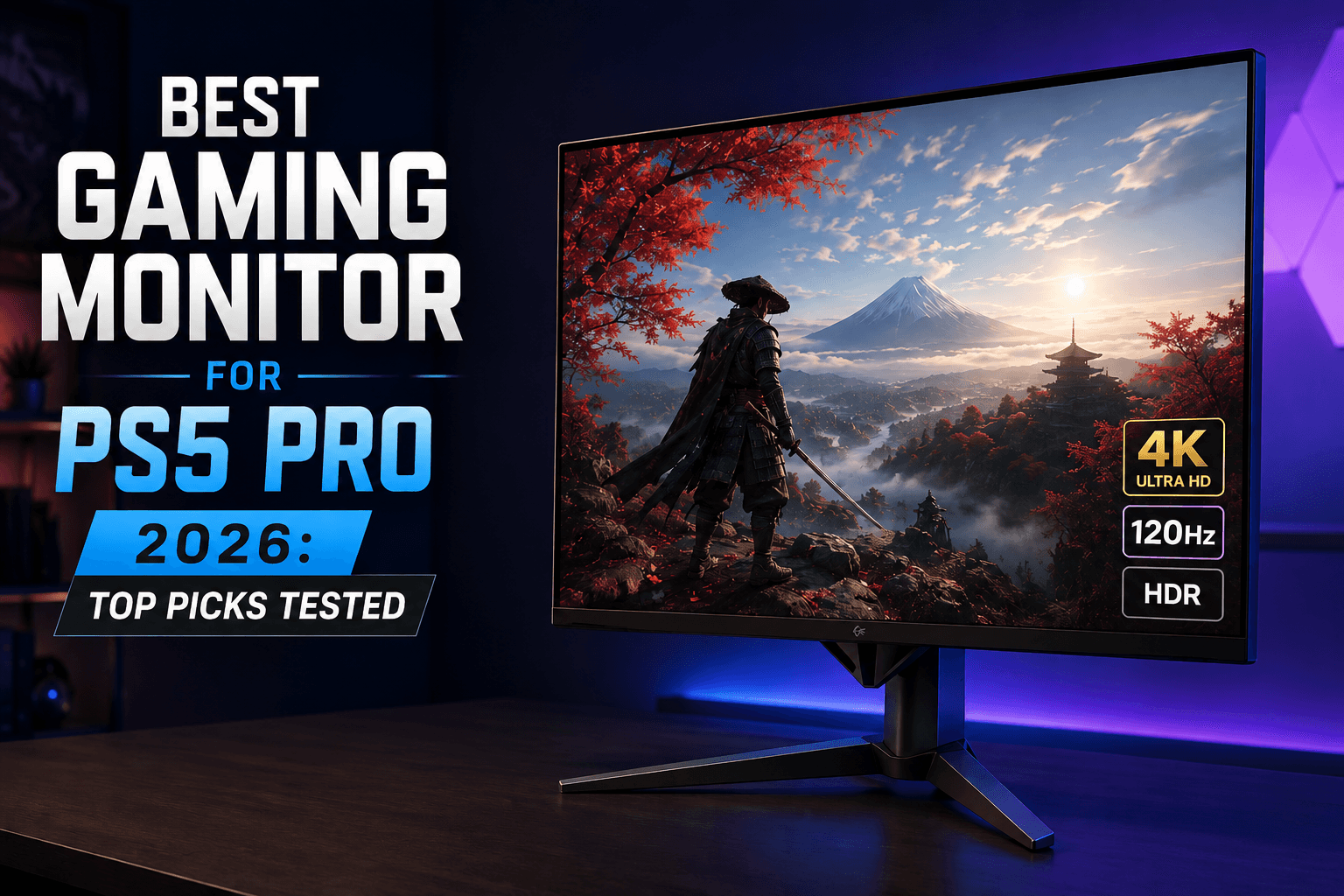
The PS5 Pro outputs 4K at 120Hz with variable refresh rates and HDR. Most monitors sold alongside it do not. The gap between what the console can send and what the display can receive determines whether Sony’s hardware investment produces any visible benefit. The honest answer to “which monitor?” is a bandwidth check first: without a full 48 Gbps HDMI 2.1 port, the discussion ends before the panel type matters.
Six monitors follow below, ranging from £879/$999 QD-OLED to £349/$400 IPS LCD. The OLED vs Mini-LED question sits at the centre of the comparison because it is the real choice most buyers face after they confirm HDMI 2.1 compatibility. What OLED costs, what it returns, and where Mini-LED closes the gap in a desk environment: that is what this guide covers.
Quick Picks
| Pick | Product | Why |
| Best overall | ASUS ROG Swift OLED PG27UCDM | QD-OLED panel, 0.03ms response, dual HDMI 2.1, full 48 Gbps bandwidth |
| Best value OLED | Samsung Odyssey OLED G8 (G80SD) | Same QD-OLED technology at £879/$999 with matte coating |
| Best for PlayStation owners | Sony InZone M9 II | Auto HDR Tone Mapping and Auto Genre Picture Mode built around PS5 |
At a Glance
| Product | Panel | Resolution / Refresh | Price |
| ASUS ROG Swift OLED PG27UCDM | QD-OLED | 4K 240Hz | £979/$1,099 |
| LG UltraGear 32GS95UE | WOLED | 4K 240Hz | £1,249/$1,399 |
| Samsung Odyssey OLED G8 (G80SD) | QD-OLED | 4K 240Hz | £879/$999 |
| Sony InZone M9 II | IPS LCD | 4K 160Hz | £699/$799 |
| BenQ Mobiuz EX2710U | IPS LCD | 4K 144Hz | £699/$799 |
| Gigabyte M28U | IPS LCD | 4K 144Hz | £349/$400 |
What the Best Monitor for PS5 Pro Must Have
Five specifications determine whether a 4K monitor actually works with the PS5 Pro, or merely connects to it.
HDMI 2.1 at full bandwidth. 4K at 120Hz with HDR requires 48 Gbps. Some monitors advertise HDMI 2.1 ports rated at 24 Gbps, which is insufficient. The console has no DisplayPort output, so every display in this comparison must provide that 48 Gbps figure on at least one HDMI port. Confirm it before ordering.
VRR via HDMI Forum standard. The PS5 Pro supports VRR through the HDMI Forum VRR specification, which eliminates screen tearing when frame pacing varies in performance modes. FreeSync Premium Pro also works on the PS5 Pro over HDMI. The practical effect in a title like Demon’s Souls, where performance-mode frame rates fluctuate across the 60-to-120 fps window, is the difference between a smooth image and visible judder. Our PS5 Pro review covers how the console’s GPU improvements express themselves in the titles that use them.
4K at 120Hz, not 60Hz. The Pro’s GPU advantage expresses itself at high frame rates. A monitor that caps the HDMI 2.1 signal at 60Hz, as some older 4K displays do, receives the resolution but not the refresh rate benefit.
HDR certification above DisplayHDR 400. DisplayHDR 400 accepts the signal. It does not have the peak brightness or contrast to render specular highlights convincingly. DisplayHDR 600 on an IPS LCD panel is a meaningful baseline. DisplayHDR True Black 400 on an OLED panel operates differently: peak brightness is lower than LED-backlit alternatives, but contrast is effectively infinite because black pixels emit nothing.
Input lag below 5ms at 4K 120Hz. Response time figures from manufacturers measure pixel switching speed under optimal conditions. Input lag is the more relevant number for console play: the delay between a controller input and the frame appearing on screen. OLED panels consistently measure below 1ms input lag at 4K 120Hz. IPS LCD panels in this comparison measure between 2ms and 5ms. Neither figure will affect casual play; both matter in frame-perfect sequences in action titles.
4K 120Hz Gaming Monitors for PS5 Pro
Every monitor in this comparison supports 4K at 120Hz over HDMI 2.1. The variation is in how each panel handles what arrives after the connection is made.
1. ASUS ROG Swift OLED PG27UCDM: Best Overall: £979/$1,099

The PG27UCDM is the no-compromise option. The 26.5-inch fourth-generation QD-OLED panel runs at 240Hz with a manufacturer-rated 0.03ms pixel response. In practice, that figure represents the panel’s measured grey-to-grey switching speed under optimal voltage conditions. The realistic figure for complex pixel transitions sits closer to 0.2ms, which remains well below the threshold for visible ghosting at 120Hz. For PS5 Pro use: 4K at 120Hz with full 48 Gbps HDMI 2.1, HDMI Forum VRR, and DisplayHDR True Black 400 certification.
Two HDMI 2.1 ports allow a PS5 Pro and a second console to remain connected simultaneously. The semi-glossy anti-reflective coating produces richer colour saturation than matte-coated equivalents, with the trade-off of slightly more reflections in bright rooms. ASUS’s OLED Care Pro suite includes a proximity sensor that automatically shifts static screen elements to reduce burn-in risk over extended sessions.
Strengths: 99% DCI-P3 colour coverage, near-zero input lag at 4K 120Hz, DisplayPort 2.1a for uncompressed 4K 240Hz on PC. Limitations: £979/$1,099 is the second-highest price on this list. The 27-inch screen size feels compact at viewing distances beyond 80cm. Decision rule: If you want the best-performing 4K gaming monitor available for the PS5 Pro and the price is within budget, this is the correct answer.
Buy the ASUS ROG Swift OLED PG27UCDM on Amazon
2. LG UltraGear 32GS95UE: Best 32-inch OLED: £1,249/$1,399

At 31.5 inches, the 32GS95UE is the size step up from 27-inch panels that changes the desk experience. The WOLED panel delivers 4K at 240Hz with 0.03ms pixel response, VRR over HDMI 2.1, and a dual-mode feature that switches to 1080p at 480Hz. The 480Hz mode is PC-only: the PS5 Pro cannot output above 120fps, so that feature is irrelevant for console use. The relevant figures are 4K at 120Hz with OLED-tier contrast and DisplayHDR True Black 400 certification.
The 31.5-inch panel size fills more peripheral vision at a standard desk distance of 60-70cm than the 27-inch alternatives. LG’s Pixel Sound technology routes audio through the panel itself rather than a separate speaker bar. The 275-nit typical SDR brightness is the limitation: in a well-lit room, the image can appear dim compared to a high-brightness Mini-LED display.
Strengths: Largest OLED screen on this list, 98.5% DCI-P3, full ergonomic stand adjustment. Limitations: £1,249/$1,399 is the highest price here. SDR brightness of 275 nits underwhelms in bright environments. Decision rule: The right choice if 27 inches is too small and OLED contrast is the priority. Accept the brightness ceiling and plan the desk accordingly.
Buy the LG UltraGear 32GS95UE on Amazon
3. Samsung Odyssey OLED G8 (G80SD): Best Value OLED: £879/$999

The G80SD is where QD-OLED becomes accessible. At £879/$999, it undercuts the ASUS by £100 and the LG by £370, while delivering the same core panel technology: 4K at 240Hz, sub-millisecond pixel switching, and infinite contrast. The practical difference at the PS5 Pro’s 4K 120Hz operating point is minimal. Both the G80SD and the PG27UCDM receive the same HDMI 2.1 signal and produce comparable HDR output in direct comparison.
The matte coating is a meaningful difference. The G80SD’s matte finish handles reflections better than the ASUS’s semi-glossy surface in rooms with windows behind the desk. The trade-off is slightly reduced perceived colour saturation. Samsung’s Tizen OS adds streaming applications to the display itself, which suits setups where the monitor serves dual roles as a console display and an entertainment screen. Buyers who prefer a straightforward monitor without a smart-TV layer will find Tizen mildly intrusive.
Strengths: QD-OLED at a lower entry point, matte anti-glare coating, full ergonomic stand, HDMI Forum VRR. Limitations: Highlight luminance trails leading Mini-LED panels. Tizen software adds complexity for buyers who want a minimal setup. Decision rule: The value pick among OLED monitors. If the ASUS’s semi-glossy coating is a concern for your room lighting, this is the better choice at a lower price.
Buy the Samsung Odyssey OLED G8 on Amazon
OLED vs Mini-LED for Console Gaming
The OLED options above run between £879/$999 and £1,249/$1,399. The IPS LCD panels below sit at £349/$400 to £699/$799. The question is not which technology is objectively better , it is which trade-off suits the specific desk and play style.
Where OLED wins. Contrast is the category where the gap is structural. OLED pixels switch off individually to produce true black. An IPS LCD panel with local dimming divides the backlight into zones , the Sony M9 II uses a limited zone count , and each zone dims but does not extinguish. In a scene like Demon’s Souls’ Boletarian Palace courtyard at night, where torch light sits against a very dark sky, an OLED panel renders the black as black. An IPS LCD panel renders it as dark grey, with the local dimming producing visible blooming around the torch. This is a technology difference, not a calibration failure.
Input lag follows the same pattern. OLED’s per-pixel self-emission eliminates the response lag associated with liquid crystal reorientation. The measured input lag on the three OLED panels above sits below 1ms at 4K 120Hz. The IPS LCD panels in this comparison measure between 2ms and 4ms. For the vast majority of PS5 Pro players, neither figure is perceptible. For fast-paced action titles where sub-frame timing matters, the OLED advantage is real.
Where Mini-LED and IPS LCD win. Peak brightness is the honest answer. The LG UltraGear 32GS95UE sustains 275 nits in SDR mode. A high-brightness IPS panel with a full-array local dimming backlight can sustain 600 to 1,000 nits across the whole screen. In a room with natural light, a bright IPS panel is easier to read. Burn-in risk, whilst manageable on modern OLED panels with pixel-shift technology, does not exist on an IPS LCD panel. For setups that run static dashboard displays or leave the console on the home screen for extended periods, this matters.
The price gap is the practical separator for most buyers. The G80SD OLED at £879/$999 costs £530 more than the Gigabyte M28U IPS LCD at £349/$400. For buyers assembling a complete desk setup, our best gaming headsets guide covers audio options that pair well with a monitor-first approach. Both support 4K at 120Hz over HDMI 2.1. The buyer who needs that £530 for games, a headset, or additional storage is making a rational decision with the IPS LCD option.
4. Sony InZone M9 II: Best for PlayStation: £699/$799

The M9 II’s defining feature is its console-native calibration. Sony’s Auto HDR Tone Mapping handshake with the PS5 Pro adjusts the display’s tone map on a per-title basis without manual calibration. No third-party monitor manufacturer replicates this integration. Auto Genre Picture Mode switches picture presets automatically based on whether the console is running a game, streaming video, or displaying the dashboard.
The IPS LCD panel itself runs at 4K 160Hz with dual HDMI 2.1 ports, FreeSync Premium Pro, and VESA DisplayHDR 600 certification. The 600-nit peak brightness is a meaningful step above DisplayHDR 400, and the sustained brightness in HDR sequences exceeds what the OLED panels above can sustain across the full screen. The limitation is contrast: local dimming with a limited zone count produces visible blooming in high-contrast HDR scenes. A dark sky behind a bright explosion shows as grey around the edges of the light source, not black.
Strengths: Console-native tone mapping unique to Sony’s ecosystem, DisplayHDR 600, sustained brightness advantage over OLED in well-lit rooms. Limitations: IPS contrast cannot match OLED blacks. Blooming is visible in demanding HDR scenes. At £699/$799, it costs more than the Samsung OLED G80SD’s value proposition permits directly, but less than any OLED equivalent. Decision rule: If Auto HDR Tone Mapping matters and the PS5 Pro is the primary device, this is the rational IPS LCD choice. Enable the feature during initial setup; it requires a factory reset to activate later.
Buy the Sony InZone M9 II on Amazon
5. BenQ Mobiuz EX2710U: Best All-in-One Desk Option: £699/$799

The EX2710U addresses desk space first. Its 2.1-channel speaker system, with a dedicated 5W subwoofer integrated into the chassis, removes the need for a separate audio solution. The 27-inch IPS panel runs at 4K 144Hz with dual HDMI 2.1 ports and FreeSync Premium Pro. Input lag measures around 3-4ms at 4K 120Hz, which sits within the acceptable range for console gaming without being class-leading.
HDRi technology reads ambient light and content simultaneously to adjust brightness and colour temperature. In practice it reduces the need for manual picture mode switching between a darkened gaming session and a daylight streaming session. The included IR remote is a small but useful addition for a monitor that doubles as a living-room-adjacent screen.
Strengths: Integrated 2.1 audio, HDRi ambient adjustment, full HDMI 2.1 bandwidth, IR remote. Limitations: At £699/$799, it matches the Sony InZone M9 II on price without Sony’s console-native calibration. IPS contrast and response times sit behind every OLED option in this comparison. Decision rule: The right pick if a clean desk with no external audio equipment is the priority. If audio quality is less important than image quality, the Samsung G80SD offers substantially better contrast for £180/$200 more.
Buy the BenQ Mobiuz EX2710U on Amazon
6. Gigabyte M28U: Best Budget Option: £349/$400

The M28U answers one question directly: what is the minimum spend required to run 4K at 120Hz over HDMI 2.1 on a PS5 Pro? The 28-inch IPS panel runs at 144Hz with two HDMI 2.1 ports and USB-C with KVM switching, which means a desk PC and the console can both connect and share keyboard and mouse input without a separate switch. The 94% DCI-P3 colour coverage outperforms most panels at this price.
The honest limitation is HDR. DisplayHDR 400 certification means the panel accepts HDR10 signals, but the 400-nit peak brightness produces highlights that are brighter than SDR but not convincingly specular. In a scene where the source content has 1,000-nit highlights, the M28U maps those to its brightness ceiling and clips the detail. This is not a defect; it is a ceiling the specification advertises. Pixel response is measurably slower than OLED alternatives, producing some motion blur in fast camera pans in action games.
Strengths: Full 48 Gbps HDMI 2.1 at £349/$400, KVM switching, 94% DCI-P3. Limitations: DisplayHDR 400 is an honest HDR baseline but not a convincing one. Slower pixel response than OLED panels. Basic stand. Decision rule: If budget is fixed and 4K 120Hz is the requirement, this is the correct answer. The £530 saved versus the Samsung OLED covers several year-one releases on the PS5 Pro.
Buy the Gigabyte M28U on Amazon
Displays We Excluded
Ultrawide monitors (21:9 and 32:9). The PS5 Pro does not support ultrawide aspect ratios. A 34-inch ultrawide connected via HDMI 2.1 displays a 16:9 image with black bars on either side. The panel’s width is wasted. These are correct for PC gaming; they are the wrong shape for a console-primary setup.
Monitors without full-bandwidth HDMI 2.1. Several otherwise competent 1440p 165Hz panels use DisplayPort as their primary high-bandwidth connection. The PS5 Pro has no DisplayPort output. Connecting via HDMI 2.0 caps the signal at 4K 60Hz or 1440p at 60Hz, which is the same output as a standard PS5.
1080p panels. PSSR upscaling on the PS5 Pro targets 4K output. A 1080p display receives a downscaled signal and produces no visible advantage over a standard PS5 connected to the same screen.
For a broader view of how the PS5 Pro fits within the current hardware landscape, our console comparison guide covers the full picture. If you are matching a monitor purchase to specific titles, our best PS5 games guide identifies which releases benefit most from 4K 120Hz HDR output. For a full accessories overview, see our best PS5 accessories guide.
FAQ
What monitor is best for PS5 Pro?
The ASUS ROG Swift OLED PG27UCDM (£979/$1,099) is the best-performing option for PS5 Pro owners who want 4K at 120Hz with OLED contrast and full 48 Gbps HDMI 2.1 bandwidth. Buyers who want OLED quality at a lower entry point should consider the Samsung Odyssey OLED G8 at £879/$999. For PlayStation-ecosystem integration specifically, the Sony InZone M9 II at £699/$799 offers Auto HDR Tone Mapping that no third-party monitor replicates.
Does PS5 Pro need a 4K monitor?
The PS5 Pro's principal hardware advantage over the standard PS5 is PSSR upscaling that targets 4K output, combined with improved GPU performance in supported titles. Using a 1440p or 1080p monitor does not prevent the console from operating, but it removes the visual benefit that distinguishes the Pro from its predecessor. A 4K monitor at 120Hz over full-bandwidth HDMI 2.1 is what realises the hardware investment.
What refresh rate does PS5 Pro support?
The PS5 Pro supports up to 120Hz output at 4K and 1440p resolutions over HDMI 2.1. No current PS5 Pro title outputs above 120fps, making monitors rated above 120Hz (144Hz, 240Hz) forward-compatible but not immediately necessary for console-only use. The 240Hz monitors in this comparison accept the 120Hz signal without any configuration required.
Is a gaming monitor better than a TV for PS5 Pro?
A dedicated gaming monitor at 4K 120Hz typically offers lower input lag than a television of equivalent resolution, because gaming monitors process the signal with minimal image enhancement. The trade-off is size: a 27-inch monitor at desk distance delivers a different spatial experience to a 55-inch television at sofa distance. For desk play at 60-80cm viewing distance, a 27-to-32-inch monitor is the ergonomic choice. For lounge play from two metres or more, a 4K television with a 120Hz mode and full HDMI 2.1 bandwidth makes more practical sense. Both setups can deliver 4K at 120Hz; the choice is about viewing position, not technical capability.
What's the minimum refresh rate for PS5 Pro?
The PS5 Pro's performance mode targets 60Hz or 120Hz depending on the title. A monitor rated at 60Hz receives the lower-frequency signal without issue, but misses the PS5 Pro's headline 4K 120Hz output. 120Hz is the practical minimum to access the full refresh rate capability. Monitors at 144Hz and above accept the 120Hz signal natively.