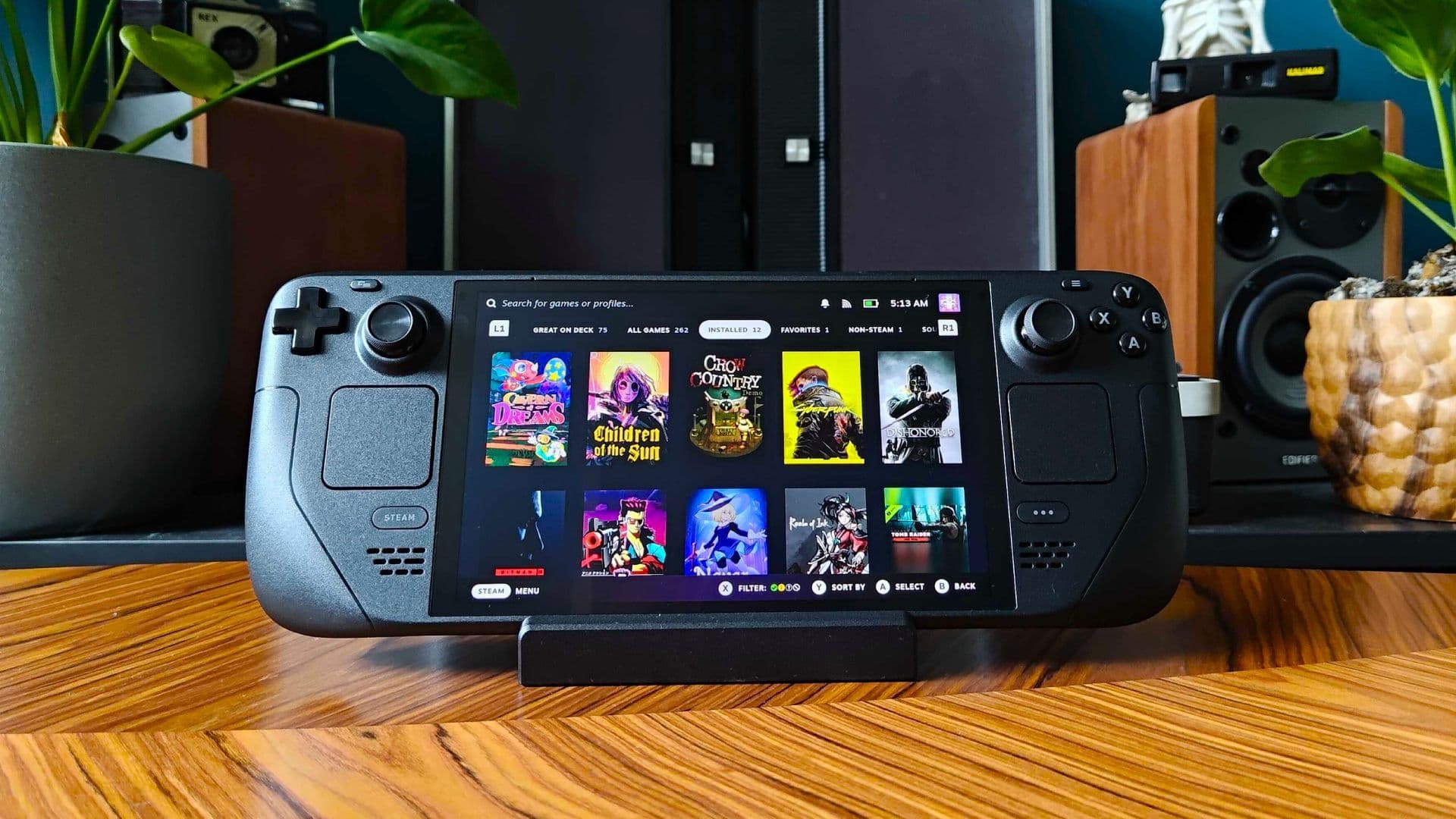
The question that comes up most often in my inbox after any Steam Deck SSD upgrade piece is not which SSD is fastest. It is which SSD gives you the most working storage for the least money and survives daily carry without becoming a thermal problem inside a chassis that was already running at its limit before you touched the drive. That is the right question. A Steam Deck SSD upgrade in 2026 is a practical decision, not a benchmark-chasing one, and the three credible 2TB candidates each answer it differently. The Crucial P310 2TB costs around £130/$140. The WD Black SN770M 2TB costs around £80/$95. The Corsair MP600 Mini 2TB sits at around £95/$110. All three fit the Deck’s M.2 2230 slot. Not all three justify their asking price equally.
Why The M.2 2230 Form Factor Narrows The Field
The Steam Deck OLED uses an M.2 2230 NVMe SSD. The number after the M.2 designation is the length in millimetres: 22 millimetres wide, 30 millimetres long. The overwhelming majority of NVMe SSDs sold for desktop and laptop use are M.2 2280, which is the same width and 80 millimetres long. A 2280 SSD will not fit the Deck’s internal slot, which is exactly why you cannot simply drop in a full-size desktop drive. A 2242 may fit with a spacer in some configurations, but it is a fiddlier route that I would not recommend for a device you carry daily.
The 2230 form factor constraint matters for two reasons beyond physical fit. First, it limits thermal mass. A shorter PCB has less surface area to dissipate heat, which means the controller and NAND run warmer per watt of activity than they would on a 2280 board. Inside the Deck’s chassis, where airflow is narrow and the APU sits beside the drive bay, a controller that runs warm under sustained write becomes a variable you cannot ignore. Second, 2230 drives are a smaller market than 2280, which keeps prices higher and limits the field. At 2TB, the credible options in 2026 are exactly the three here. There is no meaningful fourth choice in regular UK retail at this capacity.
There is one fact that governs this whole comparison, so I will put it up front: the Deck’s M.2 slot runs at PCIe Gen 3. Every drive here is a Gen 4 part, and every one of them is throttled to the Gen 3 ceiling the moment it goes into the Deck. That ceiling sits at roughly 3,000 MB/s in real-world use, which is well below what any of these drives can hit on a desktop. The practical upshot is blunt: the headline read speeds on the boxes, 7,100 against 5,150 against 7,000, mostly stop mattering once the drive is inside the Deck. The real decision is endurance and price, not peak throughput.
Three SSDs Across Three Price Tiers
The Crucial P310 2TB M.2 2230 uses the Phison E27T controller and is the fastest retail 2230 drive on paper, rated at up to 7,100 MB/s read and 6,000 MB/s write on a Gen 4 host. The catch is the NAND: it is QLC, and DRAM-less, which is why its endurance rating is 440 TBW rather than the four-figure numbers its rivals carry. The WD Black SN770M 2TB uses SanDisk’s in-house controller and TLC NAND, rated at 5,150 MB/s read and 4,850 MB/s write, with a 1,200 TBW endurance rating. It is a single-sided, low-profile 2230 drive, which is why it appears on so many upgrade compatibility lists. The Corsair MP600 Mini 2TB also uses a Phison E27T controller paired with TLC NAND, rated at 7,000 MB/s read and 6,500 MB/s write, also at 1,200 TBW. The differentiators that survive the Gen 3 ceiling are endurance and price-per-gigabyte. Those two variables are what this piece routes by.
Crucial P310 2TB: The Premium Pick
The Crucial P310 2TB M.2 2230 is the fastest 2230 drive you can buy, rated at up to 7,100 MB/s read and 6,000 MB/s write on a Gen 4 host. In the Deck, that peak figure is academic: the Gen 3 slot clips it back to the same roughly 3,000 MB/s real-world ceiling every drive here hits. So you are not paying for speed you will feel on this device. What you are paying for is the highest-grade controller in the group and the highest paper numbers, which makes the P310 the drive to reach for if you want the best-on-paper part regardless of where the bottleneck sits.
The honest qualifier on the P310 is its NAND. It is DRAM-less QLC, rated at 440 TBW over two TB. That is a fraction of the 1,200 TBW the WD and Corsair carry, and it is the single fact that should shape your decision. For most owners, 440 TBW is still years of normal use: you would have to write the full 2TB capacity around 220 times to reach it. But if your pattern is constant large installs and deletions, the lower endurance ceiling is the trade you are accepting for the headline speed.
Here is the upshot. The P310 is the choice for buyers who want the fastest-rated 2230 part and accept QLC endurance as the cost of that. It is not the right choice for buyers who churn their library hard, because that use case is exactly where the 440 TBW rating turns from a footnote into a constraint. Inside the Deck, where the Gen 3 slot flattens the speed advantage anyway, that endurance gap is the more relevant number of the two. If you install once and play, the P310 is fine; if you rotate large libraries weekly, the TLC drives below are the safer long-term seat.
WD Black SN770M 2TB: The Value King
At £80/$95, the WD Black SN770M 2TB M.2 2230 is the upgrade this piece is most likely to recommend to most readers. Its rated read of 5,150 MB/s is the lowest headline number here, but in a Gen 3 device that gap closes to nothing: every drive lands at the same real-world ceiling once the slot throttles it. The number that does not get throttled away is the endurance rating, and at 1,200 TBW over two TB the SN770M carries nearly three times the write headroom of the Crucial.

The SN770M is a single-sided drive by design, which gives it a slight edge in the Deck’s tight bay over drives that use both sides of the PCB. It runs cool enough during normal gaming, and the SanDisk controller’s thermal management during mixed read-write workloads is competent. The limiting factor in a gaming workload on the Deck is the APU and the Gen 3 interface, not the NVMe controller at this tier. In your hands, the honest figure is that the SN770M does the job at £50 less than the Crucial, and that gap funds an OLED case or a year of microSD upgrades alongside.
The honest figure on the WD Black SN770M is this: for £80/$95, you get the same real-world ceiling as the £130 Crucial inside the Deck, plus far more durable TLC NAND. The lowest headline read speed in the group is also the one that never shows up in practice. If your pattern is installing and removing games regularly, the SN770M’s endurance is the correct buy.
Corsair MP600 Mini 2TB: The Middle Ground
The Corsair MP600 Mini 2TB uses the Phison E27T controller, the same part as the Crucial P310, but pairs it with TLC NAND rather than QLC. That is the key distinction in this group: it is rated at 7,000 MB/s read and 6,500 MB/s write, near the top on paper, while carrying the same 1,200 TBW endurance as the WD Black. On paper it reads as the best of both worlds, a fast controller and durable NAND. In the Deck, the read advantage is thrown away by the Gen 3 ceiling, so what you are left buying is durable NAND at a premium over the WD.

That comparison is the problem the MP600 Mini has at £95/$110. It is £15 more expensive than the SN770M and carries the same 1,200 TBW endurance, so inside a Gen 3 Deck the two deliver effectively the same experience. The Corsair’s higher rated speed is real on a desktop and irrelevant on this device. You are paying the £15 premium for a number the Deck will not let you use.
The MP600 Mini earns its place in one specific scenario: a buyer who wants TLC endurance and also wants the Phison E27T’s firmware track record, and who finds the Corsair in stock when the WD is not. Retail availability on the Corsair is thinner than the WD, so it can be the drive in front of you on the day. That is a legitimate reason to buy it. It is not, on the numbers that survive the Gen 3 ceiling, the most rational pick at this price: the SN770M offers the same endurance for £15 less, and the Crucial offers the headline speed for the same price if speed-on-paper is what you are after.
Inside The Deck, The Drives Converge
Here is the part the spec sheets will not tell you. All three of these drives are Gen 4 parts, and the Steam Deck’s slot is Gen 3. That single fact bottlenecks every one of them to roughly the same real-world ceiling, somewhere around 3,000 MB/s, the moment they go into the chassis. The Crucial’s 7,100 MB/s rating, the Corsair’s 7,000, the WD’s 5,150: those are desktop numbers. On the Deck they collapse into the same practical band, because the interface, not the drive, is the limit.
What this means for the buyer is direct. Load times and asset streaming will feel close to identical across all three inside the Deck, because the slot is doing the throttling, not the controller. Any of the three transforms the device over the stock 512GB drive; none of the three meaningfully separates from the others on speed once installed. If a comparison leans on peak read figures to rank these drives, it is ranking a number the Deck never exposes.
So the real decision routes on two things the Gen 3 ceiling cannot flatten: endurance and price. The Crucial P310 is the fastest on paper but QLC, rated at 440 TBW, the lowest write headroom here. The WD Black SN770M is the slowest-rated but the cheapest, with durable TLC and a 1,200 TBW rating. The Corsair MP600 Mini is fast-rated TLC in the middle on price, with the same 1,200 TBW endurance as the WD, but with thinner retail stock. Inside the Deck all three feel similar in use. The decision rule is this: pick on endurance and price, not on the headline speed the slot will not let you reach.
Should You Even Upgrade? The Cheap Alternative
The upgrade decision has a competing option that this piece would be dishonest not to name. A 1TB microSD card currently costs approximately £55-80/$65-95 depending on the grade and brand. A Samsung Pro Plus 1TB microSD card, which is the grade I carry, costs around £65/$80. That card, slotted into the Deck’s external SD slot alongside the internal drive, gives a 1TB-plus-1TB configuration for less than the cost of the WD Black SN770M 2TB internal upgrade.
The microSD option comes with real limitations. Load times from the SD slot run significantly slower than the internal NVMe slot, because the SD interface is a fraction of even the Gen 3 NVMe bandwidth. Games that stream assets heavily during play, including open-world titles with dense geometry, will benefit from an NVMe install. The microSD slot is correctly used for games that do not stream intensively: visual novels, turn-based titles, 2D indies, and anything with modest data-throughput requirements.
The split approach works if you carry a library of mixed types. I currently run CryoUtilities and Decky with about 400 GB of active titles on the internal drive and another 300 GB of lighter games on a 512 GB microSD. The configuration is honest and it works. It stops working cleanly when the active library grows past what the internal drive holds and the heavier titles need to move to microSD.
The decision rule is this: if your library is primarily indie, visual novel, or turn-based content, the microSD plus internal split saves money. If your library includes ten or more AAA titles you rotate between, or if you regularly install and remove large games, the 2TB internal upgrade pays back in time and convenience.
Installation: What 30 Minutes Of Surgery Actually Looks Like
The Steam Deck OLED SSD replacement is a documented procedure. Valve ships the OLED with four screws securing the rear shell, all Phillips head, and eight screws securing the internal shield plate. The SSD sits under the shield plate in the centre-left of the chassis when viewed from the rear with the Deck face-down. Total screw count is twelve for the standard OLED SSD procedure.
The tools you need: a Phillips PH0 screwdriver, a Phillips PH1 for the larger shield screws, a plastic spudger or opening tool for the rear shell clips, and optionally an anti-static wrist strap. I recommend the strap for peace of mind rather than necessity; the chassis itself grounds adequately on a clean surface.
The sequence: discharge the battery to around 25 per cent before opening (the SteamOS battery menu in the QAM offers this directly). Remove the four rear-shell screws and lift the shell from the bottom edge. The clips run along the top and sides; a plastic spudger releases them without marking the chassis. Remove the shield-plate screws (eight, varying lengths, keep them separate). The SSD is secured by a single M2 screw. Seat the replacement drive, refit the screw finger-tight and then a quarter-turn, replace the shield plate, replace the rear shell, and clip the edges before replacing the four outer screws.
Boot to the SteamOS recovery image via a USB-C hub and a USB stick. The SteamOS recovery image is available from the Valve support page. Recovery installs in approximately 20 minutes over a reasonable connection. Restore from a cloud save or from a local backup created via the SteamOS backup tool before you opened the chassis. Total procedure time including recovery install: approximately 45-55 minutes the first time, 30 minutes once you have done it before.
The 2230 form factor means each drive seats correctly without adapter rails. The SN770M’s single-sided design makes it slightly easier to seat cleanly; the Crucial and Corsair both fit without issue.
Final Word
The WD Black SN770M 2TB routes correctly for the majority of Steam Deck owners. At £80/$95, it delivers the same real-world ceiling as the more expensive drives once the Deck’s Gen 3 slot throttles all of them, and it pairs that with durable TLC NAND rated at 1,200 TBW. Its lower headline read speed is a desktop number the Deck never lets you reach, so it costs you nothing in practice. If you want the fastest-rated part on paper and accept QLC endurance, the Crucial P310 2TB is the alternative at £50 more, though that speed advantage stays on the spec sheet inside this device.
The Corsair MP600 Mini sits between them without clearly earning its position: it carries the same endurance as the WD for £15 more, and its higher rated speed is flattened by the Gen 3 ceiling like everything else here. The Crucial earns the premium pick on paper specs; the WD Black earns the recommendation on value and endurance; the Corsair earns consideration when it is the TLC drive in stock and the WD is not. All three transform a handheld that ships with an upgradeable internal drive. The decision rule is this: if you want the best-on-paper part and install rarely, take the Crucial; if you rotate a large library and want endurance for the least money, take the WD Black.
FAQ
What's the best 2TB SSD for Steam Deck OLED?
The WD Black SN770M 2TB M.2 2230 is the strongest choice for most buyers. At approximately £80/$95, it carries durable TLC NAND with a 1,200 TBW endurance rating and a five-year warranty, and inside the Deck’s PCIe Gen 3 slot it hits the same real-world speed ceiling as pricier drives. The Crucial P310 2TB is the correct alternative if you want the fastest-rated 2230 part on paper and accept its lower QLC endurance of 440 TBW for the £50 premium.
Can the Steam Deck use a PCIe Gen 4 SSD?
Yes, the Deck will accept a PCIe Gen 4 M.2 2230 NVMe SSD, and all three drives here are Gen 4 parts. The slot itself runs at PCIe Gen 3 speeds, so the Gen 4 drive's peak throughput is capped by the interface rather than the drive. In practice this means a drive rated at 7,100 MB/s on a desktop lands at roughly the same real-world ceiling of around 3,000 MB/s inside the Deck as a drive rated at 5,150 MB/s. The headline read speeds mostly stop mattering once the drive is installed.
WD Black SN770M or Crucial P310?
For most Steam Deck owners, the WD Black SN770M 2TB at £80/$95. Inside the Deck’s Gen 3 slot, both drives hit the same real-world speed ceiling, so the Crucial’s higher rated speed does not show up in use. The decision routes on endurance instead: the WD uses TLC NAND rated at 1,200 TBW, while the Crucial uses QLC rated at 440 TBW. Take the Crucial only if you specifically want the fastest-rated part on paper and install games rarely enough that the lower endurance ceiling will not bite.
Is the Steam Deck SSD upgrade worth it vs using microSD?
It depends on your library composition. A 1TB microSD card at around £65/$80 paired with the internal drive gives a 1TB-plus-1TB configuration for less than the SN770M’s upgrade cost. Load times from the SD slot run significantly slower than the internal NVMe slot, because the SD interface is a fraction of even the Gen 3 NVMe bandwidth. The microSD configuration is correct for libraries weighted toward indie, turn-based, and visual novel titles where streaming throughput is not a factor. The internal 2TB upgrade is correct when ten or more AAA titles rotate through active play and microSD load times become the friction point.
How long does the Steam Deck SSD upgrade take?
The physical procedure runs to approximately 30 minutes once you have done it once: four rear-shell screws, eight shield-plate screws, one M2 SSD retainer screw, seat the new drive, reverse the sequence. The SteamOS recovery install via USB-C hub and USB stick takes approximately 20 minutes on a reasonable connection. First-time total procedure including recovery is closer to 45-55 minutes. The tools required are a Phillips PH0, a Phillips PH1, and a plastic spudger. No heat gun or adhesive is involved in the Steam Deck OLED SSD procedure.
Review summary
The question that comes up most often in my inbox after any Steam Deck SSD upgrade piece is not which SSD is fastest. It is which SSD gives you the most working storage for the least money and survives daily carry without becoming a thermal problem inside a chassis that...