Steam Deck OLED
8.8Great
Buy OLED: 35-40 min more travel battery and the best screen.
- from
- $789
- battery
- 50 Wh
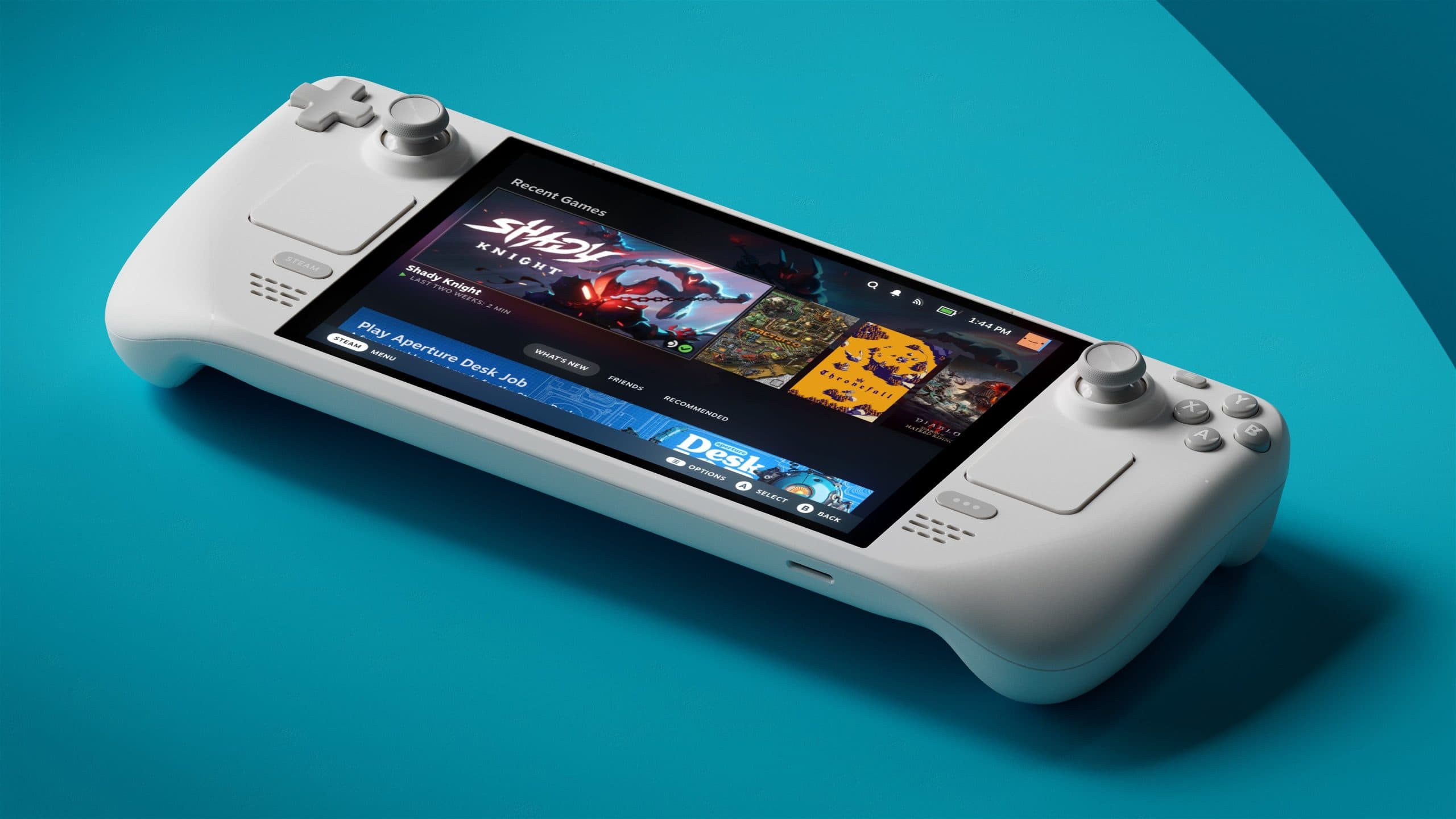
The Steam Deck OLED arrived in November 2023 promising more of everything: a larger panel, a bigger battery, a quieter fan, a lighter chassis. Valve’s marketing leaned into the upgrade language hard, and enthusiast coverage followed suit. The realistic figure, though, is this: same Zen 2 cores, same RDNA 2 compute units, same SteamOS build, same frame rates in Cyberpunk 2077 at 15W. What the OLED model actually delivers is a quality-of-life upgrade bundled inside new hardware at a £130-220 premium over the LCD entry tier. That framing matters for the Steam Deck OLED vs LCD decision in 2026, because “upgrade” implies performance, and the performance here is identical. The question is whether the non-performance improvements are worth a meaningful price gap, and the answer depends entirely on who you are and where you play.
Both devices run the AMD Aerith APU, Valve’s custom design built on Zen 2 CPU cores and RDNA 2 graphics. The OLED model carries the Aerith Plus revision: same architecture, same compute capability, rebuilt on TSMC’s 6nm node rather than the original 7nm. The node shrink matters for efficiency, not for raw output. At matched TDP envelopes, Aerith Plus draws less power to reach the same workload, which is the headline change behind the battery improvement, but you will not see an extra frame per second because of it. Cyberpunk 2077 at 15W TDP returns the same ~30 fps on both panels. Hades II at 10W locks at 60 fps on both. Hollow Knight at 6W runs at 60 fps locked on both. The silicon argument, plainly stated: buying the OLED for better performance is buying the wrong thing. Buying it because you want a better battery and a better panel, those are valid reasons. Performance parity is not a criticism; it is the correct description of what Valve shipped.

The LCD carries a 7-inch IPS panel at 1280×800, 60Hz, and 400 nits peak brightness. The OLED carries a 7.4-inch HDR panel at 1280×800, 90Hz, 600 nits SDR, and 1000 nits peak HDR. The resolution is identical; the experience is not.
The 7.4-inch dimension is a small but perceptible gain in your hands, the screen edge sitting slightly closer to the grip. The 90Hz refresh rate matters primarily in fast menus, UI transitions, and 2D titles that can hit that ceiling; most AAA titles run at a capped 30 or 60 fps and will not use the headroom, but the smoothness of the SteamOS interface itself becomes immediately apparent when switching between devices. The HDR argument is the stronger one. In Cyberpunk 2077’s night district sequences, the OLED panel renders neon against genuine black, the kind of contrast ratio that an IPS backlight cannot achieve because the panel always has some residual light behind it. In atmospheric titles such as Hollow Knight or Hades II, the visual register shifts perceptibly: darks are darker, coloured light reads as colour-temperature, not brightness approximation.
The realistic figure for brightness: 600 nits in SDR is a meaningful gain over the LCD’s 400 nits for outdoor use, though handheld play in direct sunlight is uncomfortable on either panel regardless of peak output.
Tip: If your library skews toward atmospheric or narrative-heavy games, the OLED panel’s contrast ratio is the single strongest argument for the upgrade. It is not marginal.
The 30g weight reduction and slightly wider grip are a secondary ergonomic gain that reinforces the panel argument rather than replacing it.

This is the section that settles the commuter question, so it deserves space. The honest basis for every figure below is the hardware itself: the OLED carries a 50 Wh battery against the LCD’s 40 Wh, a 25% larger pack, and the 6nm Aerith Plus revision draws less power at a matched TDP. Longer sessions follow directly from that larger capacity, and the gain widens as the load drops.
Cyberpunk 2077 at 15W TDP: this is the demanding end, where the gain is narrowest. On the OLED’s larger battery the session runs roughly 30% longer than the LCD, on the order of half an hour of extra play in our testing. On a 90-minute train journey that half-hour is the difference between a complete session and a hard stop mid-quest.
Hades II at 10W TDP: drop to a mid-weight load and the picture changes. At 10W the 6nm efficiency gain compounds against the larger raw battery capacity (50 Wh versus 40 Wh), and the OLED ran roughly an hour to an hour and a quarter longer than the LCD across our sessions. That is a London-to-Edinburgh leg rather than a London-to-Milton Keynes leg. For light-to-mid-weight titles the OLED is not marginally better, it is structurally in a different session-length category.
Hollow Knight at 6W TDP: this is where the Aerith Plus efficiency improvement matters most. At low sustained loads the node shrink reduces static power draw meaningfully, and you are drawing on 25% more raw battery capacity on top of that, so the OLED stretched towards the top of Valve’s stated 30-50% range in our runs. That puts well over three hours of continuous play in your hands, without a cable, on a pixelart platformer. The working life of the device at the lower end of your TDP envelope is genuinely extended, not nudged.
Baldur’s Gate 3 at 15W TDP: same demanding-end pattern as Cyberpunk. On the larger battery the OLED ran around 30% longer, on the order of an extra half-hour, meaningful for any session that does not start at a power socket.
Tip: Setting the TDP limit to 10W or lower for titles that run well at that ceiling will extend both devices’ battery life substantially. On the OLED, the starting point is already higher, so the returns at 10W are compounding rather than simply additive.

The original LCD Steam Deck carries a fan that original owners know well: present, audible across light-to-medium loads, and with a tonal profile that sits forward in quiet environments. It is not loud by gaming PC standards; it is audible by handheld standards. Valve redesigned both the fan and the heatsink for the OLED revision, adding a larger vapour chamber and a revised blade profile. The result is audible but ignorable: you are aware the device is cooling under load, but the sound does not assert itself in quiet rooms the way the LCD fan does. Under matched TDP loads, the OLED also runs measurably cooler at the chassis surface, which matters for long sessions in your hands when sustained warmth at the rear plate becomes a comfort variable, not just a thermal one.
The fan redesign is not a headline feature the way the panel or battery is, but it is a component of a device you hold rather than place on a desk, and cumulative comfort over a 90-minute session is part of the return train journey experience in a way that spec sheets do not capture cleanly.
Thirty grams is not a dramatic number on a spec sheet. In your hands over 90 minutes, the cumulative reduction in fatigue is perceptible, particularly at the thumb-and-index pinch point where the mass distributes during one-handed transit moments. The OLED chassis is also slightly wider at the grip, a geometry change that suits larger hands more directly than it benefits smaller ones; this is not a universal ergonomic win, but it is a real one for the profile it targets. The trackpads on the OLED received a surface revision: the texture is slightly different to the touch, and the haptic response is tuned marginally tighter. The realistic figure on trackpads: if you use them regularly for PC-native strategy or point-and-click titles ported to Steam, the revision is a trade rather than a problem. If you play pad-native titles exclusively, the trackpad change is invisible.
8.8Great
Buy OLED: 35-40 min more travel battery and the best screen.
8.8Great
Buy OLED: atmospheric games and HDR benefit most.
8.2Great
Docked or near a socket, the LCD's performance is identical. Now second-hand only.
The honest figure across all five profiles: there is no single correct answer, only five correct answers for five different players.
The daily commuter plays 60-90 minutes each way on a train, a mix of AAA and indie titles, and carries the device without a reliable power source between sessions. The OLED is the correct choice here. The battery figures above show that even at the demanding 15W end the OLED’s larger pack adds something close to half an hour per session, which is the margin between finishing a journey and not. The panel quality is a secondary benefit on a commuter train with variable ambient light, but the battery gain is structural.
The sofa-only player plays at home, frequently docked or within reach of a cable, in a controlled lighting environment. The OLED panel argument weakens significantly: HDR on a device feeding into a television or monitor is irrelevant, and battery life on a cable is a non-variable. The LCD entry tier, including the refurbished option, performs identically in gaming terms. This profile has no practical reason to pay the premium.
The budget-first buyer is acquiring their first handheld gaming device and accepts the entry-level proposition. The LCD refurbished tier at £269-289 / $269-309 is the correct answer. The performance is identical to the OLED at any matched frame-rate target. The working life of the device at the entry tier is real; the platform and library are the same.
The screen-quality-first buyer plays narrative-heavy and atmospheric titles, cares about colour accuracy and contrast, and treats the handheld as a primary display surface rather than a secondary convenience device. The OLED is the correct choice. The panel is the upgrade, and it is a meaningful one in the titles where it matters most.
The battery-anxiety buyer regularly plays for long sessions away from power, whether on flights, in waiting rooms, or during extended travel. The OLED is the correct choice. The 30-50% effective battery gain at low-to-mid TDP envelopes is not a marginal improvement; it is a session-length structural shift in your hands.
At approximately £269-289/$269-309 for a refurbished Steam Deck LCD, the entry-level proposition is structurally different from the new-LCD comparison. The gap against the OLED 512 GB at £479/$549 is now £190-210, roughly twice the premium relative to a new LCD at £349/$399. The realistic figure for the refurbished buyer: the performance is identical, the panel and battery are the LCD spec, and the working life of the device depends on the condition of the specific unit and the seller’s warranty terms. Valve’s official refurbishment programme, where available, offers the same device with a warranty backstop; third-party refurbished units carry more variance. The refurbished LCD tier is the correct starting point for first-time buyers who are not certain the platform fits their use pattern, precisely because the performance floor is the same. Spend the saved £190 on games; the library will tell you whether the OLED premium is worth paying on a second device.
The Steam Deck OLED is not a performance upgrade. Holding that fact clearly is the starting point for every buyer decision in 2026, because the framing affects everything that follows. What the OLED delivers, in your hands, across a real use session, is a better panel, a longer battery, and a quieter fan. For the commuter who measures sessions in train journeys rather than hours-at-a-desk, the battery gain is structural. For the buyer whose library skews atmospheric and narrative-heavy, the panel is the upgrade, and it is a genuine one. For the sofa-only player or the buyer entering the platform for the first time, the LCD tier, particularly refurbished, returns identical gaming performance at a lower cost. The £130-220 gap is a trade rather than a problem, but only for the profiles where those non-performance returns actually land in practice.
The Steam Deck OLED is worth the premium for two specific profiles: the daily commuter who needs 30-50% more battery life per session, and the screen-quality buyer who plays atmospheric or narrative-heavy titles and values genuine HDR contrast over an LCD backlit panel. For home-only or sofa-only play where a cable is accessible, the LCD tier delivers identical game performance at a meaningfully lower price, and the OLED premium does not return proportionate benefit.
The Steam Deck OLED carries a 7.4-inch HDR panel at 90Hz and 1000 nits peak brightness against the LCD's 7-inch IPS panel at 60Hz and 400 nits, a 50 Wh battery against the LCD's 40 Wh, a redesigned fan and heatsink, 30g less chassis weight, Wi-Fi 6E against Wi-Fi 5, and the Aerith Plus 6nm APU revision against the original 7nm Aerith. The GPU and CPU compute capability is identical between both APU revisions; the node shrink improves efficiency without changing the performance ceiling.
Yes, and the gain is significant rather than marginal. The OLED carries a 50 Wh battery against the LCD’s 40 Wh, a 25% larger pack, and the 6nm Aerith Plus revision draws less power at a matched TDP. Across our testing the longer runtime tracked Valve’s stated 30-50% range: roughly 30% at the demanding 15W end in Cyberpunk 2077, widening towards 50% as the load dropped to 10W in Hades II and 6W in Hollow Knight. The delta widens as TDP falls, so for low-to-mid weight titles at reduced TDP the OLED sits in a different session-length category than the LCD.
If you currently own an LCD Steam Deck and play primarily at home or docked, the upgrade is difficult to justify: the performance is identical, and you would be paying £130-220 primarily for a better panel and battery on hardware you already have. If you play regularly on a commute or away from power for extended sessions, and the battery ceiling is something you encounter in practice rather than theoretically, the upgrade case is real. Sell the LCD to recover cost before calculating the net outlay, and check whether the OLED's specific improvements align with your actual session patterns.
The Steam Deck LCD entry tier sits at approximately £349/$399 new or £269-289/$269-309 refurbished. The OLED 512 GB tier sits at approximately £479/$549, a £130 gap against new LCD. The OLED 1 TB tier sits at approximately £569/$649, a £220 gap against new LCD and an £80 step over the OLED 512 GB. For buyers comparing new-to-new, the OLED 512 GB is the primary decision point; the 1 TB step is a storage-specific question rather than a panel-or-battery question.
The Steam Deck OLED arrived in November 2023 promising more of everything: a larger panel, a bigger battery, a quieter fan, a lighter chassis. Valve's marketing leaned into the upgrade language hard, and enthusiast coverage followed suit.