Nintendo Switch 2
9.0Outstanding
Best if first-party Nintendo and household play are the reason to buy.
- library
- Nintendo
- identity
- Hybrid
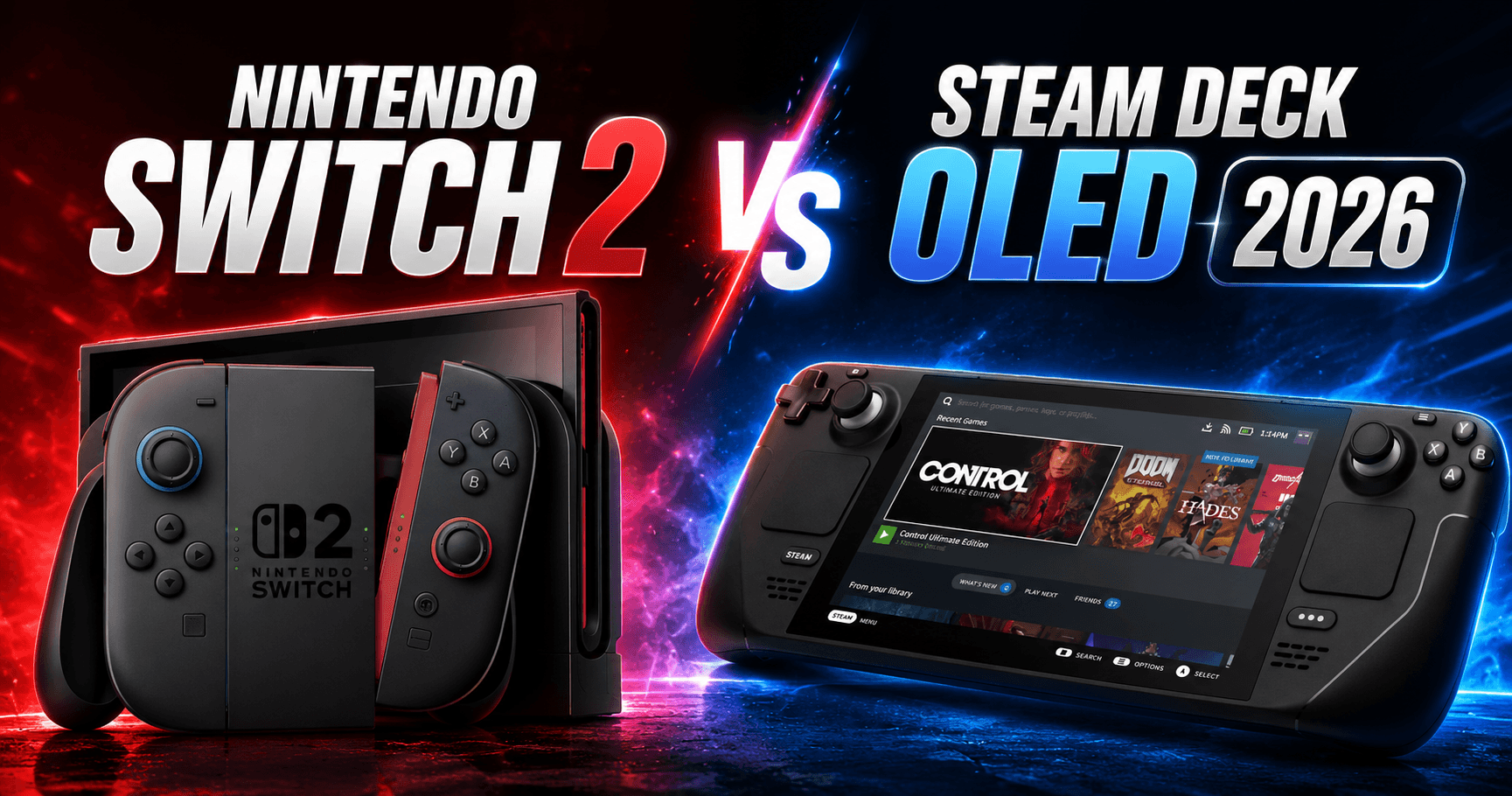
The Nintendo Switch 2 vs Steam Deck question lands on my workbench every week, usually from a reader who can only justify one device. Both sit in front of me now, both on the same shelf, both running games I have logged hours into this month. The honest figure is which library you commit to. Switch 2 at £395.99/$449.99 and Steam Deck OLED at £649/$789 (512 GB) now sit £253 apart, which over a three-year ownership window is about £84 a year, roughly a full-priced release every year you own it. That is not the deciding number. The deciding number is the size of the games collection sitting behind each device, because that is what you are actually paying to access. Specs route you to a shortlist of two. Library routes you to the one you should buy.

9.0Outstanding
Best if first-party Nintendo and household play are the reason to buy.
9.0Outstanding
Best if Steam ownership, suspend/resume, and PC pricing decide the value.
RuleDecision
The article's useful answer is library lock-in first, hardware second.
The Switch 2 ships with a custom Nvidia T239 SoC, Ampere-class, paired with a 7.9-inch 1080p IPS LCD HDR10 panel running at 120Hz with VRR. The Steam Deck OLED runs AMD’s Aerith Plus APU, Zen 2 plus RDNA 2 on a 6nm process, with a 7.4-inch 800p HDR OLED panel at 90Hz. The Switch 2 weighs around 535g, the Deck OLED around 640g. That 105g delta is about the weight of a small phone, and over a 90-minute session it is the difference between putting the device down at the hour mark and finishing the chapter you started.
The panels read differently in practice. The Switch 2’s 1080p IPS reads bright and sharp on a sunny train, with HDR10 that handles outdoor sequences cleanly. The Deck OLED’s 800p panel reads as the better screen in a dim room because the contrast ratio does what OLED always does, which is make black look black. Pixel density is closer than the resolution gap suggests because the Deck’s screen is smaller. At arm’s length on a commute, the difference is real but not large.
Ecosystem-wise, the Switch 2 is the Nintendo walled garden with Joy-Con 2 magnetic attachment and a C-button that activates mouse-mode. The Steam Deck OLED is the open PC handheld with SteamOS, Desktop Mode underneath, and the full PC library accessible.
This is the section the spec-sheet writers skip, and it is the section that decides the purchase. The Switch 2 has Mario Kart World shipped at launch in June 2025, Donkey Kong Bananza in July, Metroid Prime 4: Beyond in August, and Pokémon Pokopia in the autumn slate. Animal Crossing New Horizons runs in its Switch 2 enhanced version. Mario Odyssey 2 is rumoured for 2026 and would slot into the same first-party rotation. None of these run on anything else. There is no Steam version, no PC port, no emulation route for current-generation first-party Nintendo software, and the operating assumption should be that there never will be.
The Steam Deck OLED runs your Steam library. If you have 200 games on Steam, you have 200 games on the Deck the day you buy it. GOG runs through Heroic Launcher. Epic Games Store titles run through the same. Modding is supported because the OS underneath is Linux. The flexibility of the platform is the platform.
For cross-platform titles the picture levels out. Cyberpunk 2077, Hades II, Stardew Valley, and Elden Ring (Switch 2 port confirmed, due 2026) run on both devices. Buyers in this group are choosing how they want those games to feel rather than whether they can play them. Baldur’s Gate 3 is the exception that proves the library point: it runs on the Deck OLED and not on the Switch 2, because Larian’s planned Switch 2 port was cancelled, so for that one title the choice is not how it feels but whether you can play it at all.
The argument resolves cleanly. If your wishlist is Nintendo-shaped, the Deck OLED’s flexibility is irrelevant because the games you want are not on it. If your wishlist is Steam-shaped, the Switch 2’s first-party slate is closed to you and the £253 saving is real money now rather than rounding, but it still cannot reopen that slate. The cheaper device does not become the Steam device. Library is the gate.

Cyberpunk 2077 runs at roughly 30fps at 1080p on the Switch 2 with DLSS-equivalent upscaling active. The Deck OLED runs the same game at roughly 30fps at 800p native. Both arrive at the same frame rate by different routes, and both are comfortable to play in handheld. The Switch 2’s upscaler adds resolution headroom in docked mode; the Deck’s 800p is sharp on its smaller panel.
Baldur’s Gate 3 is a Deck OLED title only. It holds roughly 30fps at 800p across Acts 1 and 2, then drops into the mid-20s in the crowded Act 3 zones, which in a turn-based RPG you register as a slightly heavier pause between actions rather than a problem in motion. The Switch 2 cannot run it at any frame rate, because Larian’s planned Switch 2 port was cancelled, so this is one of the games a Switch 2 buyer simply does without. That is the library gate in a single title.
Stardew Valley locks at 60fps on both. That is the strongest argument in this entire piece for not over-buying hardware: the game you might log 200 hours into runs perfectly on both devices and would run perfectly on the original LCD Switch and the original LCD Deck.
Hades II runs at 60fps at 1080p on the Switch 2 and 60fps at 800p on the Deck OLED. Both are excellent, and the Switch 2 produces a slightly cleaner result because the larger panel and higher resolution add up.
Elden Ring’s confirmed Switch 2 port, due in 2026 at roughly 30fps at 1080p, changes the calculus for buyers who care about that specific game. It was a Steam Deck showcase title for two years, and the Switch 2 port closes that gap.
Operator-grade tip for the Deck OLED on Cyberpunk 2077: in the Steam Deck Quick Access Menu, set TDP to 12W and Frame Rate Limit to 40. The OLED’s 90Hz panel respects 45Hz frame pacing cleanly, so a 40 cap reads smoother than an uncapped run that thrashes between 35 and 50. Battery cost is about 15 minutes over a two-hour session, and the device runs noticeably cooler. That single setting change is the difference between a usable Cyberpunk session on a commute and one that throttles by the time you reach Watson.

The 105g weight gap between the Switch 2 (~535g) and the Steam Deck OLED (~640g) is the most undersold number in the comparison. A sandwich is about 150g. The Deck OLED is one sandwich heavier than the Switch 2, and over two hours of held use that is the figure that decides whether you finish the session in hand or shift to a table.
Fan noise reads differently on the two devices. The Switch 2 fan runs near-silent at 15W TDP in handheld, which on a quiet train is the kind of detail that lets you forget the device has a fan at all. The Deck OLED fan steps up audibly at the 12W mark and is hearable on a quiet carriage. Drop the Deck to 8W and you regain silence, but you lose the high settings on demanding titles. The trade-off is honest: more headroom, more fan.
The Joy-Con 2 magnetic attachment is faster to dock and undock than the LCD Switch’s rail-and-clip mechanism. The C-button is the genuinely useful addition. It activates mouse-mode on the right Joy-Con, which makes strategy games, point-and-click ports, and inventory-heavy RPGs more comfortable than the analogue stick alternative. On Civilization VII and Pokémon Pokopia menus, that one button changes the working life of the device.
The Deck OLED’s grip is wider and the rear buttons sit better for longer thumbs. The 640g weight is rear-heavy when tilted upward, which on a sofa-back position reads as fine and on an at-arm’s-length position reads as tiring. The Switch 2’s 535g is more neutral in hand across postures.

Nintendo’s OS on the Switch 2 is controller-first by design and has no desktop mode, no file manager, and no side-loading path without homebrew. The result reads as a deliberate constraint rather than a missing feature. Suspend and resume are fast and reliable, because Nintendo’s hardware-software integration is tight enough to make the device feel like it never actually slept. The trade-off is that there is no PC library access, no modding, no emulation front-end (officially), and no path to install anything Nintendo did not approve.
SteamOS on the Deck OLED is controller-first by default but Desktop Mode lives underneath, running KDE Plasma with a full browser, Heroic for GOG and Epic, RetroDECK or EmuDeck front-ends if you choose to install them, and the full Linux package ecosystem. Atomic updates mean a broken update rolls back in one command. Suspend and resume work reliably across most titles, with occasional audio stutter on wake from deep suspend that resolves on most games within a few seconds.
Two working-life arguments sit behind the OS choice. The Switch 2 makes the device disappear: pick it up, the game is where you left it, no setup. The Deck OLED makes the device expand: every PC game you own is on it, plus whatever you install in Desktop Mode, and the device grows with how much time you put into it.
Operator-grade tip for Deck OLED users: install Decky Loader and add the PowerTools plugin. PowerTools exposes per-game TDP profiles that get applied automatically when the game launches. The ProtonDB community rating overlay tells you whether a Windows title is going to run cleanly before you spend installing it. Those two additions transform the working life of the Deck beyond what the default UI offers, whilst staying inside the supported plugin ecosystem.
Profile 1: Nintendo-library-first buyer. Switch 2, no question. Mario Kart World, Donkey Kong Bananza, Metroid Prime 4: Beyond, Pokémon Pokopia are the reasons to own a handheld in 2026 if those are your games. None of them run anywhere else. The £253 saving is welcome, and at that size it is real money rather than a rounding figure, but it is still not the argument. The library is the argument.
Profile 2: PC-library-flexibility buyer. Steam Deck OLED, no question. If you have a Steam library of any meaningful size, the Deck activates it on a handheld the day you unbox it. Heroic Launcher opens the rest of your PC library. Modding, emulation, and OS tweaking are all available. The Switch 2 does not offer any of this and the gap will not close.
Profile 3: Cross-platform or multi-ecosystem buyer. This is the genuinely contested profile, and routing depends on household shape. Family or couch-co-op heavy: Switch 2 wins because the Joy-Con 2 split-play model and Nintendo’s online integration are designed for that use case. AAA-PC-heavy with a Steam library already accumulated: Deck OLED, because the PC library advantage compounds over the device’s lifetime. Solo player with no entrenched ecosystem and a wishlist split across both camps: pick the device whose top three games matter more to you and live with the trade-off. Neither answer is wrong.
Switch 2 at £395.99/$449.99 over a three-year ownership window amortises to about £132 a year. The Deck OLED at £649/$789 amortises to about £216 a year. The £253 upfront delta becomes an £84 annual delta, which is a full-priced AAA release every year rather than the price of one sale-bin title. At £84 a year this is a real saving, not a rounding difference, and the honest read is that it tilts the maths toward the Switch 2 for a buyer who is genuinely undecided. What it does not do is buy you the other library: for a Steam-locked or Nintendo-locked buyer, £84 a year saved on the wrong device is still the wrong device.
Software spend is the bigger variable. Switch 2 first-party titles sit at £49 to £59 / $60 to $70 with little discounting in the first 18 months. Steam sales can deliver 80% off back-catalogue titles within months of release. Over three years, the software cost gap is larger than the hardware cost gap, and it runs in the Deck’s favour. The honest figure is that the cheaper device upfront is not necessarily the cheaper device over its working life, but only if you are the kind of buyer who actually waits for Steam sales rather than buying on release.

Both devices on the workbench together, both running Hades II at 60fps, both excellent, and the screens look fine side by side. The difference between them is not the screen in front of you. It is the games collection behind it. The Switch 2 is the lighter device, the quieter device, and the device that costs £84 less per year over three years, which is now a real saving rather than a rounding figure. The Deck OLED is the device that runs your Steam library, supports modding and emulation, and rewards the buyer who tunes their own settings. If your games are Nintendo, buy the Switch 2. If your games are on Steam, buy the Deck OLED. The buyer who can answer the library question in one sentence is the buyer who has already chosen.
Route by library, not by spec sheet. Nintendo exclusives (Mario Kart World, Donkey Kong Bananza, Metroid Prime 4: Beyond) lock you into the Switch 2 because there is no alternative path to those games. A pre-existing Steam library locks you into the Deck OLED because the Switch 2 cannot read it. Cross-platform solo buyers can route either way; cross-platform family buyers usually find the Switch 2's split-play model and Nintendo's online integration more useful in practice than the Deck's flexibility.
No. Mario Kart World, Donkey Kong Bananza, Metroid Prime 4: Beyond, Pokémon Pokopia, and the Animal Crossing New Horizons Switch 2 enhanced release are Switch 2 exclusives. There is no PC version, no Steam release, and no supported emulation path for current-generation Nintendo first-party software. If those titles are on your wishlist, the Deck is not the device, regardless of how flexible the rest of its software stack is.
Yes, at roughly 30fps at 1080p with DLSS-equivalent upscaling active. That is a workable result for an open-world game of that scale on a handheld at this price, and it sits within 2-3fps of how the Deck OLED runs the same title at 800p native. Neither device is the ideal Cyberpunk machine, but both make the game properly portable, and that was not true on the original Switch.
They are comparable at matched TDP under a 15W-equivalent AAA load. Switch 2 sits at roughly 2.5 to 3 hours; Deck OLED at roughly 2 to 3 hours. The Deck OLED edges ahead on lighter games at lower TDP because its 50 Wh cell is efficient at 8 to 10W, which is the range Stardew Valley or Hades II runs in. Matched on a demanding title, neither is the device that survives a long-haul flight without a power bank.
The actual gap is £253 (Switch 2 at £395.99/$449.99, Deck OLED 512 GB at £649/$789), which amortises to about £84 a year over three years. That is a real saving now, enough for a full-priced game annually, so it is no longer a rounding figure. The question is still not whether the saving justifies the Switch 2, but whether the library you are committing to is worth either price. If your games are on the Switch 2, the £84 annual saving is a genuine bonus on top of the right device. If your games are on Steam, that saving cannot buy you back the PC library the Deck activates.
The Nintendo Switch 2 vs Steam Deck question lands on my workbench every week, usually from a reader who can only justify one device. Both sit in front of me now, both on the same shelf, both running games I have logged hours into this month.