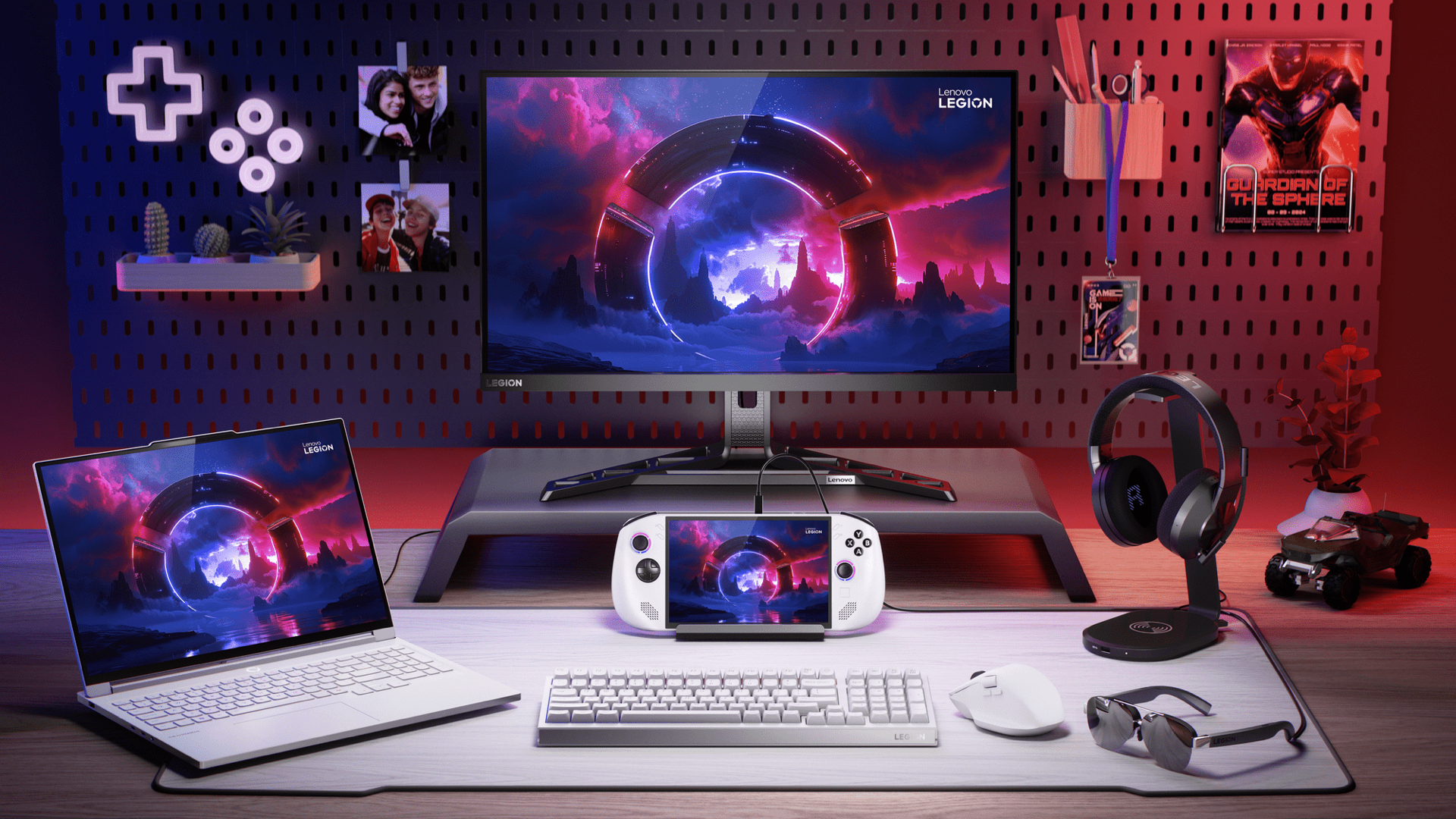
The Lenovo Legion Go S arrives at a moment when the handheld PC market has split into two clear camps: devices you configure, and devices that work on the train. The Go S, depending on which edition you buy, lands in both. At £459 / $499 for the SteamOS edition and £559 / $599 for the Windows 11 edition, it sits below the ROG Ally X on price and brings something neither the Ally X nor the Steam Deck OLED offers: full-size detachable controllers in a handheld gaming PC body. The Z2 Go APU is not the fastest silicon in the category, and the IPS panel cannot match the Deck’s OLED in a dark room. Both are real limitations. What the Go S does well, it does with less friction than the alternatives would suggest, and the detachable controller design solves a problem the other machines do not acknowledge exists.
Product Snapshot
| Brand / Model | Lenovo Legion Go S |
| Category | Handheld gaming PC |
| UK Price | £459 (SteamOS) / £559 (Windows 11) |
| US Price | $499 (SteamOS) / $599 (Windows 11) |
| Release Date | January 2025 (SteamOS) / May 2025 (Windows 11) |
| APU | AMD Ryzen Z2 Go (Zen 3+ / RDNA 2, quad-core, 8-thread) |
| GPU | Radeon, 12 compute units at up to 1.95 GHz |
| Display | 8-inch IPS LCD, 1920×1200, 120 Hz, FreeSync, 500 nits |
| RAM | 32 GB LPDDR5X |
| Storage | 1 TB NVMe M.2 2242 (user-replaceable) + microSD UHS-II |
| Battery | 55.5 Wh |
| OS | SteamOS 3 or Windows 11 |
| Weight | 730 g with controllers attached |
| Connectivity | Wi-Fi 6E, Bluetooth 5.3, USB4 / Thunderbolt-class USB-C, microSD UHS-II |
| Best Alternatives | Steam Deck OLED, ROG Ally X, Nintendo Switch 2 |
Design and Build
The Go S is a large device. At 730 g with the controllers attached, it is 90 g heavier than the Steam Deck OLED’s 640 g, and that gap is present in the hand from the first session. The reason for the weight is the reason the design is interesting: the controllers detach from the body via a physical slide-release on each side, leaving a standalone tablet with a kickstand and a USB-C port. Detached controllers connect over Bluetooth and pair without ceremony; detach, set the device on a surface, and the inputs are live within three seconds. This changes how the device fits into a living room or desk setup in a way no other handheld PC currently matches.
The controllers are full-size, not abbreviated stubs. Thumbstick diameter and face-button actuation depth are adult-proportioned. The triggers are analogue with clean progressive travel. The D-pad is a flat disc rather than a segmented cross, which is a limitation for fighting games and any title where cardinal precision matters. For everything else, the layout is the most complete in the detachable category.
Build quality is competitive for the £459 starting price. The chassis is matte-finish plastic throughout, with tight seam lines at the controller attachment points and no discernible play when the controllers are locked in. The kickstand, a hinged panel on the rear, holds a single fixed angle and is stable on flat surfaces. The 8-inch screen is 0.6 inches larger in physical size than the Steam Deck OLED’s 7.4-inch panel, which translates to a display area roughly 16 per cent larger. On a train table or a desk, the difference reads clearly.
Performance
The AMD Ryzen Z2 Go is a quad-core Zen 3+ design with 12 RDNA 2 compute units at up to 1.95 GHz. It is not the Z1 Extreme inside the ROG Ally X, which runs eight cores and 12 RDNA 3 compute units at a higher sustained clock. The Z2 Go handles the Steam back catalogue and most 2024 titles at playable settings; it shows its ceiling on 2025 AAA titles where the Z1 Extreme still has headroom.
Cyberpunk 2077 at 1080p Low with FSR Quality and a 15W TDP cap holds a stable 30 fps across most of Night City, dipping to 26 fps at the busiest intersections. Dropping to 720p Medium with FSR Balanced recovers around 5 fps and smooths frame-time variance. Baldur’s Gate 3 at 800p Low and 12W holds 40 fps for most of the game, dropping to 28 fps in dense Act 3 outdoor scenes. Helldivers 2 at 720p Medium and 15W averages 34 fps. Hades II at 6W locks at 60 fps with no perceptible quality concession.
Operator tip: cap the TDP to 15W in handheld mode. On the Windows 11 edition, open Legion Space (press the Legion button on the left controller to launch it), navigate to Device Settings, then Performance Mode, and set TDP to Manual at 15W. On the SteamOS edition, press the QAM button (the three-dots button below the right thumbstick) to open the Quick Access Menu, select the Performance tab (battery icon), and set TDP Limit to 15W. The Z2 Go cannot usefully push beyond 15W on battery: sustained loads above that point trigger thermal throttling and fan noise without a proportionate performance gain. Capping at 15W keeps clocks steady, holds fan speed below conversational volume, and extends battery life by 30 to 40 minutes per session compared to the default uncapped profile.
The 32 GB of LPDDR5X is the Go S’s clearest specification win over the Steam Deck OLED’s 16 GB. Memory-intensive open-world titles page less aggressively, and the headroom shows in loading times and scene-streaming smoothness during rapid traversal. It does not close the APU performance gap against the Ally X, but it prevents the memory bottlenecks that constrain the Deck on certain titles.
Display
The 8-inch IPS LCD at 1920×1200 and 120 Hz is the Go S’s most complicated specification. The 120 Hz refresh rate is genuine and FreeSync-capable, which means variable-rate content displays without tearing across the panel’s full range. At 1080p and 8 inches, the pixel density sits around 283 pixels per inch, slightly lower than the Deck’s 7.4-inch panel at the same resolution; the difference at arm’s length is negligible. What matters more is the backlighting: peak brightness reaches 500 nits, which is adequate for indoor use and reasonable in train daylight. The LCD’s black level is lifted compared to any OLED, and in dim-room play the Go S panel shows grey where the Deck OLED shows nothing. That contrast gap is the most visible limitation in the first session and remains visible. It is a technology difference, not a tuning failure.
The size advantage is real: the extra 0.6 inches makes RPG dialogue more readable without zooming, and the 16:10 aspect ratio matches the Deck’s format so most PC titles render without black bars. The 120 Hz panel earns its specification on action games where the Deck’s 90 Hz is the ceiling, and FreeSync eliminates tearing across the variable frame-rate range. For buyers coming from any non-OLED handheld, the Go S display reads as capable. For buyers moving from a Steam Deck OLED, the step down in contrast depth is noticeable from the first session.
Battery and Thermals
The 55.5 Wh battery is larger than the Steam Deck OLED’s 50 Wh cell. At 15W TDP the device lasts around three to three and a half hours, enough for a return commute. At 10W with lighter titles the figure extends to four to four and a half hours; at 6W, around five and a half hours. The Z2 Go’s RDNA 2 architecture draws more per workload than the Deck’s 6nm Aerith Plus, so the real-world battery gain over the Deck is smaller than the capacity difference suggests.
Exhaust routes along the top edge away from the hands, keeping the rear panel warm rather than hot in sustained play. At 15W the fan reaches around 38 to 40 dB at arm’s length, present in a quiet room but not intrusive in a lounge or on a train. Sustained play above 20W heats the chassis into the range of discomfort and drives the fan above 42 dB without a proportionate performance gain; the 15W cap is the correct operating point, not a conservative one.
Sleep-resume on the SteamOS edition is reliable: close mid-game, open elsewhere, and the game is live again within eight seconds. The Windows 11 edition inherits Windows’ unpredictable wake cycle, with audio routing failures appearing roughly once every three to four days in regular use. This is a Windows-on-handheld issue that affects every device in the category, not a Go S problem specifically. It is worth naming because it affects commute use directly.
Software Experience
The Go S ships in two distinct software configurations. The choice between them is the most consequential decision in the purchase.
The SteamOS edition runs Valve’s SteamOS 3. Game Mode presents a controller-first interface for Steam titles. Suspend and resume are reliable. Proton handles the vast majority of the Steam catalogue; kernel-level anti-cheat titles from certain competitive shooters do not run, and a small number of games require manual Proton version selection. There is no Xbox Game Pass and no easy access to Epic or GOG titles without switching to Desktop Mode and installing Heroic Games Launcher manually. Legion Space handles TDP management and controller firmware from within Game Mode, keeping the experience close to the Deck’s: pick up, launch, play, close, resume.
The Windows 11 edition opens the full PC ecosystem: Xbox Game Pass, Steam, Epic, GOG, and Battle.net all run without compatibility concerns, and legacy titles and emulators work as they would on any Windows PC. Legion Space on Windows integrates performance profiles, TDP presets, and display calibration from a single app. The trade-off is Windows-on-handheld friction: occasional keyboard input for the taskbar, a less dependable suspend-resume cycle than SteamOS, and software updates on Windows’ schedule. For buyers who want a PC away from the desk rather than just a gaming handheld, the Windows edition earns the extra £100 / $100.
Neither edition is a compromised version of the other. The SteamOS edition is for Steam-first buyers who want Deck-like reliability with detachable controllers; the Windows edition is for buyers who need the broader PC ecosystem and can manage the friction. Our 2026 handheld comparison maps the full trade-off.
Who It’s For / Who Should Skip It
Buy it if:
- You want a SteamOS handheld with detachable controllers and do not already own a Steam Deck OLED. The Go S brings Deck-like software reliability with physical controller flexibility the Deck cannot match.
- You want a Windows handheld for Game Pass and broad PC compatibility, and the ROG Ally X at £799 / $799 is over budget. The Go S Windows edition is a credible alternative at £340 / $300 less, with 32 GB of RAM and detachable controllers.
- You play in tabletop or local co-op modes regularly. The detachable controllers and kickstand make the Go S the only handheld PC that works as a shared-screen device without an external stand or dock.
- You want user-replaceable storage. The 1 TB M.2 2242 NVMe drive swaps out without specialist tools.
Skip it if:
- You already own a Steam Deck OLED. The Z2 Go APU does not outperform the Deck’s Aerith Plus in sustained handheld workloads, and the OLED panel advantage runs the other way.
- Display quality in dim environments is a priority. The IPS LCD cannot reproduce the black levels of the Deck’s OLED panel in a dark room.
- You want the strongest raw performance available. The ROG Ally X delivers noticeably more GPU headroom on demanding 2025 titles, and for buyers who prioritise AAA performance, that gap is meaningful.
- You play primarily Nintendo first-party titles. The Go S does not run Nintendo software, and the Switch 2 is the correct device for that library.
Alternatives
Steam Deck OLED (from £479 / $549): The Steam Deck OLED is the reference SteamOS handheld. The 7.4-inch HDR OLED panel delivers absolute blacks and wider colour volume that no LCD in the category approaches. The Aerith Plus APU’s 6nm efficiency means 10W TDP holds stable 30 fps on most demanding titles, and the device weighs 640 g with fixed controllers. For buyers who value display quality and commute reliability above physical flexibility, the Deck OLED remains the benchmark. The Go S suits a buyer with different priorities, not a better specification.
ROG Ally X (from £799 / $799): The ROG Ally X delivers roughly 40 to 50 per cent more GPU throughput than the Go S at equivalent TDP settings and carries an 80 Wh battery. At £799 / $799 it sits £340 / $300 above the Go S Windows edition. For buyers who prioritise AAA performance at 1080p and already use Game Pass, the Ally X earns that premium. For buyers who cannot stretch that far, or who want detachable controllers the Ally X does not offer, the Go S is the credible alternative.
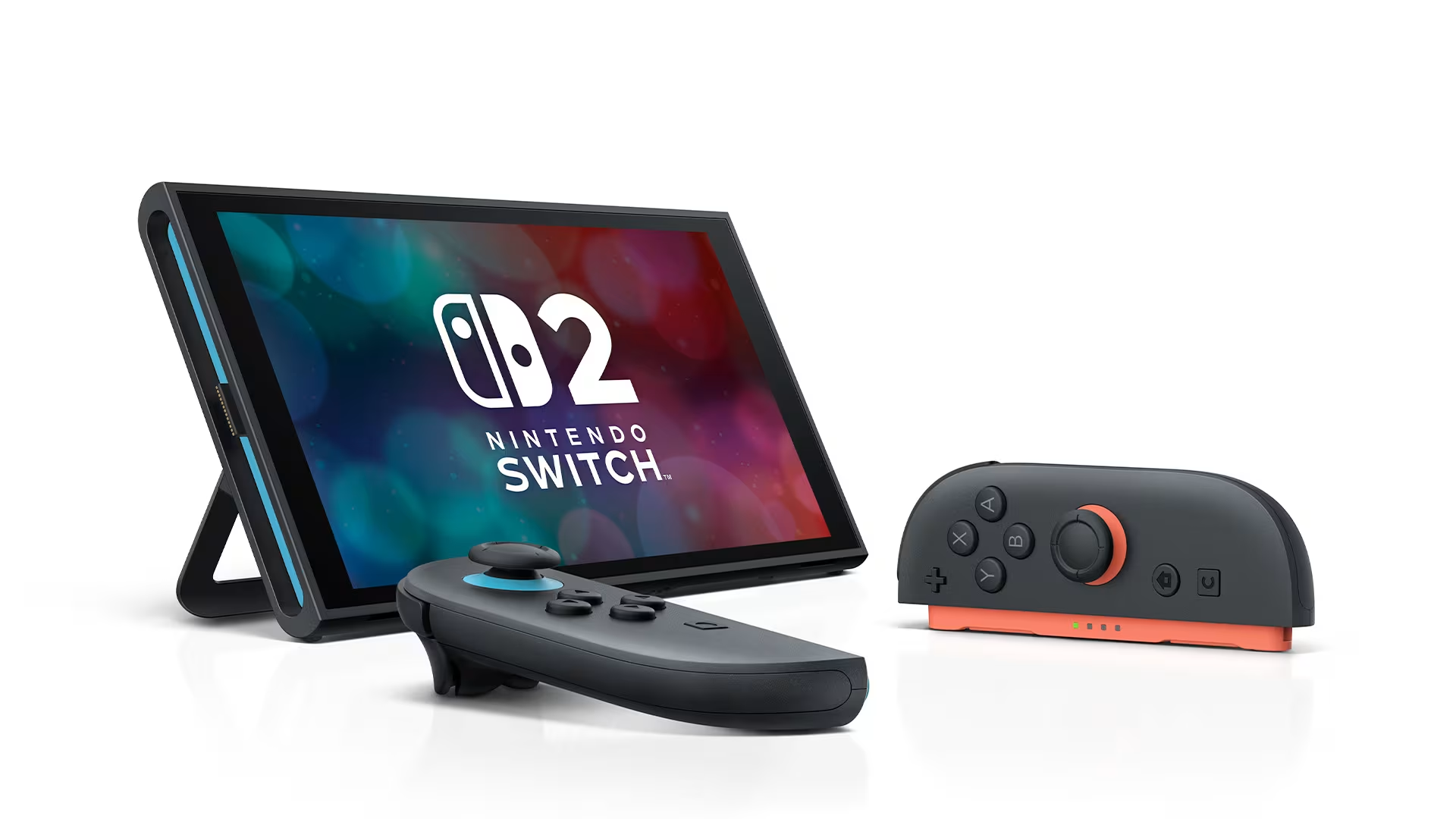
Nintendo Switch 2 (from £395.99 / $449.99): The Switch 2 is a hybrid console running Nintendo’s closed software ecosystem. It is not a PC gaming device and the libraries do not overlap. The Joy-Con 2 controllers detach in a structurally similar way to the Go S’s mechanism, but the Switch 2 is a console whose controllers happen to detach where the Go S is a PC built around that flexibility. Different devices for different ecosystems. Our 2026 handheld gaming roundup covers the full field.
Scoring
Performance: 7.5/10. The Z2 Go handles the back catalogue and most 2024 titles cleanly at 15W TDP, but demanding 2025 games require resolution or settings concessions that the Z1 Extreme in the Ally X does not, and the RDNA 2 architecture shows its generation against RDNA 3 competition.
Display: 7.8/10. The 8-inch 120 Hz IPS at 1920×1200 is well-calibrated, genuinely large for a handheld, and benefits from FreeSync in variable frame-rate content, but the LCD black level and colour volume are a clear tier below the Steam Deck OLED’s HDR panel.
Build and Ergonomics: 8.2/10. The detachable controller mechanism is the design highlight in the category, the chassis seams are tight, and the grip proportions are adult-sized; the 730 g weight is the single ergonomic cost and accumulates in sessions over two hours.
Battery and Thermals: 7.6/10. The 55.5 Wh cell delivers three to four hours at 15W TDP, adequate for daily commute use, but the RDNA 2 silicon draws more per workload than the Deck OLED’s 6nm efficiency allows, and sustained sessions run the fan at a perceptible volume.
Value: 8.0/10. At £459 / $499 for the SteamOS edition, the Go S offers 32 GB LPDDR5X, 1 TB user-replaceable NVMe, detachable full-size controllers, and a larger screen than any competitor at the price point; the Windows edition at £559 / $599 is a credible Ally X alternative for buyers who do not need peak performance.
Average: 7.8/10.
Verdict
The Go S does not win any single category outright. The Steam Deck OLED has the better panel and better efficiency. The ROG Ally X has the stronger APU. What the Go S has is a combination no other device currently offers: a SteamOS handheld with detachable full-size controllers, 32 GB of LPDDR5X RAM, a user-replaceable drive, and an 8-inch 120 Hz display, at a starting price within £20 / $50 of the Deck OLED. The comparison for that buyer is not “Go S versus Deck OLED on specs” but “do I value detachable controllers and a larger screen over OLED black levels and 90 g less weight.” The Z2 Go’s ceiling shapes every demanding session, and accepting the 15W cap and its settings compromises is part of the purchase, not a workaround. Within that ceiling, the Go S is well-built, well-specified on memory and storage, and more physically flexible than anything else in its price range.
Decision rule: if you want a SteamOS handheld with detachable controllers and do not already own a Deck OLED, the Go S is the only device in the category that answers that brief; if you want a Windows handheld with Game Pass access but the Ally X is over budget, the Go S Windows edition is a credible step down at £340 / $300 less; skip it and stretch to the Steam Deck OLED or the ROG Ally X if display quality or raw performance matters more than the detachable controller design, because both are stronger devices in their respective lanes.
Where to Buy
See the full 2026 handheld gaming roundup for side-by-side comparisons and current pricing across the Go S, Steam Deck OLED, ROG Ally X, and Switch 2. For the Steam library titles that run best in the 10W to 15W TDP range relevant to the Go S and every other SteamOS handheld, see our best Steam Deck games guide for 2026.
FAQ
Is the Lenovo Legion Go S worth buying in 2026? The Legion Go S is worth buying in 2026 if you want a SteamOS handheld with detachable full-size controllers, or a Windows handheld with Game Pass access at under £600 / $600. The Z2 Go handles the Steam catalogue and most 2024 AAA titles at 15W TDP, and the 32 GB of LPDDR5X RAM and user-replaceable 1 TB drive are strong specifications at the price. It is not the device for buyers who prioritise OLED display quality or the raw performance ceiling of the ROG Ally X.
Lenovo Legion Go S vs Steam Deck OLED: which should I buy? Buy the Legion Go S if you want detachable controllers, a larger 8-inch screen, or 32 GB of RAM at a similar price. Buy the Steam Deck OLED if the OLED panel’s absolute blacks and lighter 640 g chassis are what you are actually paying for. Both run SteamOS and handle the Steam catalogue with reliable suspend-resume. The difference is form factor and display technology, not software quality.
Should I buy the SteamOS or Windows 11 Legion Go S? Buy the SteamOS edition if your library lives on Steam and you want consistent suspend-resume without Windows friction. Buy the Windows 11 edition if Xbox Game Pass, multiple storefronts, or general Windows PC use is part of the brief. The SteamOS edition costs £100 / $100 less and runs cleaner as a handheld. The Windows edition is more capable as a PC but requires more management.
What is the battery life of the Legion Go S? Battery life depends directly on TDP setting: around three to three and a half hours at 15W (Cyberpunk 2077, 30 fps), four to four and a half hours at 10W with lighter titles, and around five and a half hours at 6W for undemanding games. The 55.5 Wh cell is larger than the Steam Deck OLED’s 50 Wh, but the Z2 Go’s RDNA 2 architecture draws more per workload, so the real-world advantage is smaller than the capacity gap suggests.
Can the Legion Go S run AAA games? Yes, with appropriate settings and a 15W TDP cap. Cyberpunk 2077 at 1080p Low with FSR Quality holds around 30 fps; Baldur’s Gate 3 at 800p Low holds 40 fps for most of the game; Helldivers 2 at 720p Medium averages around 34 fps. The most demanding 2025 titles require resolution concessions that the Z1 Extreme in the Ally X avoids. For the Steam back catalogue and most 2024 releases, the device handles play without configuration work.
Are the Legion Go S controllers detachable? Yes. A physical slide-release on each side detaches both controllers, leaving a tablet with a built-in kickstand. Detached controllers pair over Bluetooth in around three seconds without any pairing process. They are full-size, with analogue triggers and correctly proportioned thumbsticks. The D-pad is a flat disc rather than a segmented cross, which is a limitation for precise cardinal inputs but adequate for most game genres.
How does the Legion Go S compare to the original Legion Go? The Go S is 124 g lighter than the original 2023 Legion Go (730 g versus 854 g). The screen shrinks from 8.8 inches to 8 inches, the resolution changes from 2560×1600 to 1920×1200, and the APU steps from the Z1 Extreme to the more efficient Z2 Go. Storage is 1 TB on both, but the Go S uses a user-replaceable M.2 2242 form factor. The Go S is the better daily carry device; the original Go had the stronger APU at launch.
Does the Legion Go S work with Game Pass? Xbox Game Pass is fully functional on the Windows 11 edition via the Xbox app from the Microsoft Store. The SteamOS edition does not support Game Pass reliably: achieving it requires Desktop Mode and compatibility layers, and the result is unstable. Game Pass as a requirement means the Windows 11 edition at £559 / $599. The SteamOS edition is for Steam-library buyers only.
Please note that some links in this article are affiliate links. If you found the coverage helpful and decide to pick up the game, or anything else for your collection, through one of those links, we may earn a commission at no extra cost to you. We use this approach instead of filling Spawning Point with intrusive display ads, and rely on this support to keep the site online and fund future reviews, guides, comparisons and other in-depth gaming coverage. Thank you for supporting the site.