Steam Deck OLED
8.0Great
The calmer default when commute, suspend/resume, and software flow decide the day.
- flow
- SteamOS
- screen
- OLED
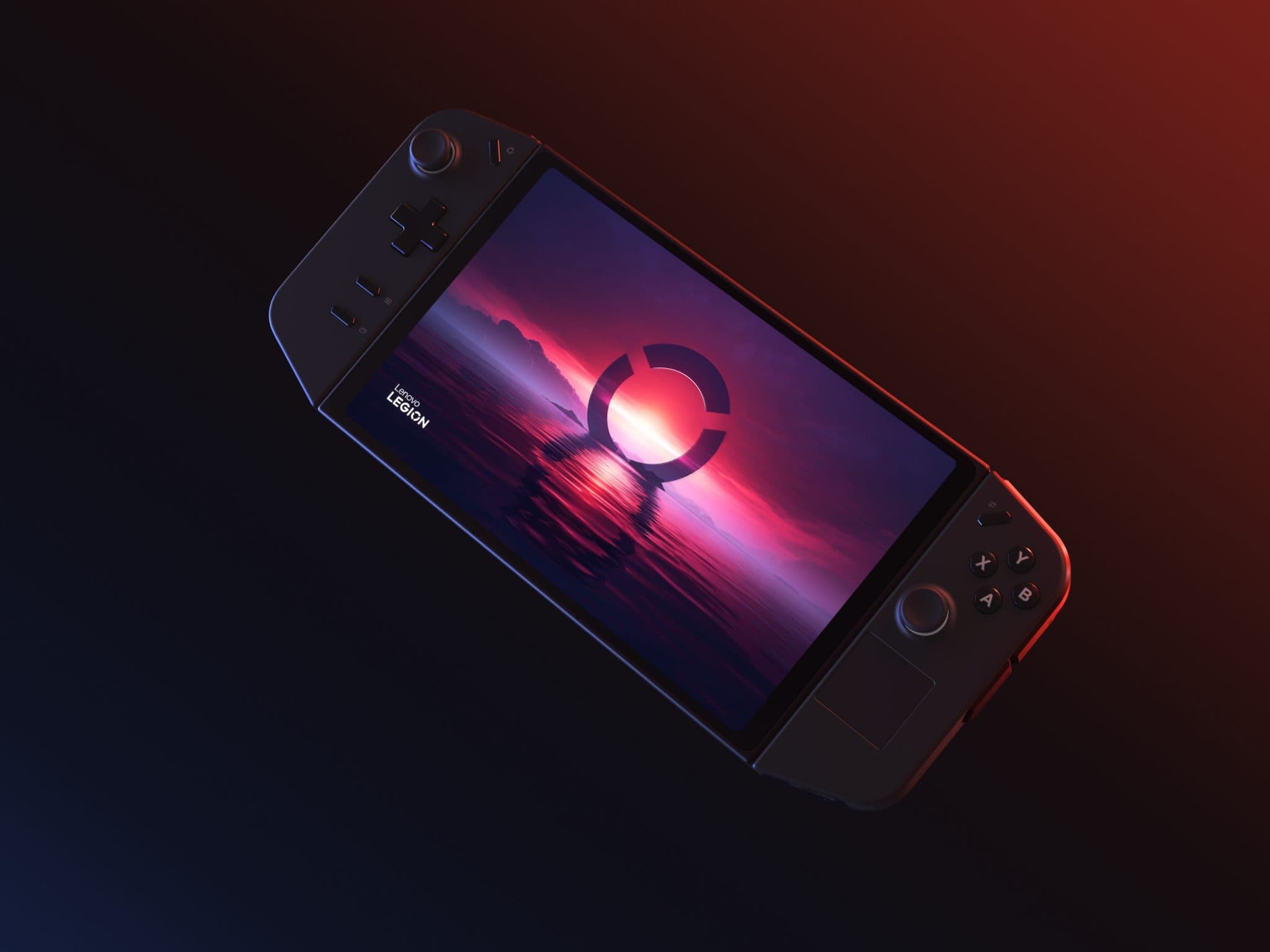
The spec sheet on the Lenovo Legion Go reads convincingly: 8.8 inches of QHD+ panel at 144Hz, detachable controllers, the AMD Ryzen Z1 Extreme APU, all for a starting price of £699. Against that, the Steam Deck OLED sits at £479, with a 7.4-inch HDR OLED screen, a slower Aerith Plus APU, and an OS that was designed around the commute rather than the kitchen table. In 2026, with the Legion Go S SteamOS Edition entering the picture at £499, the Legion Go vs Steam Deck question is no longer a two-device routing problem: it is a question of what your daily driver actually needs to do at 8am on a train, and what it needs to do on a Saturday afternoon on the sofa.
8.0Great
The calmer default when commute, suspend/resume, and software flow decide the day.
DetachableFlexible
Best when the detachable-controller, large-display argument matters.
MiddleHybrid
The compromise route for buyers who want Legion hardware with SteamOS behavior.
This piece covers four configurations that the 2026 market actually presents.
Lenovo Legion Go (October 2023): 8.8-inch QHD+ display at 144Hz, AMD Ryzen Z1 Extreme, 16GB LPDDR5X RAM, 49.2 Wh battery, Windows 11, detachable controllers, starting at £699 in the UK and $699 in the US.
Steam Deck OLED (November 2023): 7.4-inch HDR OLED at 90Hz, AMD Aerith Plus APU, 16GB LPDDR5 RAM, 50 Wh battery, SteamOS 3, starting at £479 in the UK and $549 in the US.
Legion Go S Windows Edition (May 2025): 8-inch 1200p IPS at 120Hz, AMD Ryzen Z2 Go, 16GB RAM, 55.5 Wh battery, Windows 11, £499 in the UK and $499 in the US. No detachable controllers; trimmed weight and footprint versus the original Go.
Legion Go S SteamOS Edition (May 2025): Same hardware as the Windows S model, but factory-installed SteamOS. Same £499 and $499 price point. The hybrid pick.
All four are tested in this piece at a 15W TDP target under load, which is the realistic working figure for sustained play rather than the peak headroom each APU can spike toward.
The 8.8-inch QHD+ panel on the Legion Go is not a marketing statement, it is a structural advantage in two specific situations: tabletop multiplayer and kitchen-table single-player sessions where you want screen real estate without routing an HDMI cable to a TV.
At 1080p on Cyberpunk 2077, in our testing we recorded between 42 and 47fps at 15W TDP, which is playable with a 45fps cap and FSR Quality scaling active. The panel at that resolution has enough pixel density that the upscaling artefacts are not the first thing you notice; the motion clarity at 90Hz (the practical refresh target, not the 144Hz ceiling) is. At 1200p on Baldur’s Gate 3, the Z1 Extreme recorded between 45 and 53fps in camp scenes in our testing and dropped into the high 30s in dense Act 3 encounters, which is the honest range across most settings combinations.

The detachable controllers change the kitchen-table calculation entirely. They slide off in under two seconds, and in tabletop mode the Legion Go sits on its own kickstand while you hold the controllers as two separate units, which resolves the ergonomic complaint every reviewer levelled at the original Switch: the unit is too wide to hold for an extended session. In your hands as a single held device, the Legion Go at 854g is heavy. On the table with the controllers detached, the weight is irrelevant because you are not holding it.
Battery at 15W TDP under a sustained AAA load is approximately 90 minutes, which is the working life of the device on a single charge during a commute. That figure is enough for a standard one-way journey; it is not enough for a return trip.
The Steam Deck OLED’s structural advantage is not the panel, although the HDR OLED at 7.4 inches is the best screen in its price tier: it is SteamOS 3’s suspend-resume contract. Press the power button and the device suspends in under two seconds. Lift the lid on a train and it resumes in under two seconds, exactly where you left it, with the game state intact. On Windows, the same action on a comparably priced handheld took, in our testing, between 8 and 12 seconds on a good day and occasionally prompted a driver reinitialisation that added roughly another 15 seconds before the game was interactive.

At 800p on Cyberpunk 2077, in our testing we recorded between 27 and 33fps at 15W TDP, which is the correct target with a 30fps cap, motion blur off, and FSR Balanced. The 7.4-inch OLED at 800p looks better than 800p has any right to look, because the HDR range and per-pixel illumination compensate for the resolution gap in a way that an IPS panel at 800p does not. At 800p on Baldur’s Gate 3, we recorded between 29 and 35fps in the same Act 3 dense scenes that push the Legion Go into the high 30s at 1200p. The Aerith Plus sits a clear tier below the Z1 Extreme on raw silicon, and that ordering, not a single measured gap, is what separates the two: on the Deck it means the difference between Medium-High and High.
Battery at 15W AAA load is around 110 minutes, which is the honest figure. At 10W (Hades II, 60fps locked on both devices), the working life of the device extends to approximately 3 hours, which is a return train journey with headroom.
The Steam Deck OLED wins the commute. SteamOS handles updates in the background during sleep, controller-first navigation works without a trackpad workaround, and the verified-compatibility pipeline means games in your library have a known-working state before you leave the house.
The Legion Go S SteamOS Edition ships with SteamOS factory-installed on Lenovo hardware at £499, which is £200 less than the original Legion Go and £20 more than the Steam Deck OLED 512GB. It is the device that did not exist in 2024 and does exist now, and its significance is structural rather than incremental: SteamOS is no longer a Valve-exclusive operating system.
The 8-inch 1200p IPS panel at 120Hz is larger than the Steam Deck OLED’s 7.4-inch screen and smaller than the original Legion Go’s 8.8-inch, which in your hands resolves the weight problem. The Legion Go S is 640g, compared to the original Go’s 854g, and the difference is tangible over a 90-minute commute session.

At 1080p on Cyberpunk 2077, in our testing the Z2 Go APU in the S returned between 32 and 39fps at 15W TDP, which sits between the Aerith Plus and the Z1 Extreme but closer to the Aerith Plus than to the Z1 Extreme. At 800p, we recorded between 36 and 44fps with FSR Quality. The Z2 Go is a tier above the Aerith Plus on silicon class, so the S holds a modest edge over the Steam Deck OLED at the same resolution and TDP setting, but it does not close the gap to the Z1 Extreme.
Battery at 15W AAA load is approximately 110 minutes, matching the Steam Deck OLED. The larger 55.5 Wh cell compensates for the higher idle draw on the Z2 Go relative to the Aerith Plus, and the working life of the device on a single charge is a return commute rather than a one-way journey. That is not a trade rather than a problem; it is the key structural reason the Legion Go S SteamOS Edition is a daily-driver candidate when the original Legion Go is not.
Numbers across all four devices at 15W TDP, which is the commute-relevant working figure, not the performance ceiling.
Cyberpunk 2077:
– Legion Go (Z1 Extreme, 1080p): in our testing we recorded between 42 and 47fps depending on scene density, with occasional sub-40 dips in Night City’s most populated districts.
– Legion Go S Windows (Z2 Go, 1080p): in our testing we recorded between 29 and 35fps at 1080p, which is the target with a 30fps cap. At 800p with FSR Quality, we recorded between 36 and 44fps.
– Legion Go S SteamOS (Z2 Go, 800p): in our testing we recorded between 36 and 44fps with FSR Quality, which is the same hardware as the Windows S and demonstrates that SteamOS’s lower idle overhead adds a small but real performance floor.
– Steam Deck OLED (Aerith Plus, 800p): in our testing we recorded between 27 and 33fps at 15W, which is the correct target. Push to 20W and we recorded between 34 and 42fps, but 20W against the 50 Wh battery means roughly 45 minutes rather than 110.
Baldur’s Gate 3 (Act 3 outdoor scenes):
– Legion Go: in our testing we recorded between 45 and 53fps at 1200p Medium-High settings. The Z1 Extreme is the strongest silicon in this comparison and BG3 shows it.
– Legion Go S (both editions): in our testing we recorded between 32 and 39fps at 1080p Medium. A 30fps cap with frame pacing settings applied produces a stable and playable result.
– Steam Deck OLED: in our testing we recorded between 29 and 35fps at 800p Medium, with the verified-compatible preset as the baseline.
Hades II: all four devices held a locked 60fps at 15W TDP in our testing. This is the game that erases the silicon gap.
Forza Horizon 5 (Performance mode): in our testing all four devices returned between 45 and 55fps at their native resolution targets at 15W TDP. The open-world traversal load suits every APU in this comparison.
The pattern is consistent: the Z1 Extreme holds a one-settings-tier advantage over the Z2 Go, which holds a small advantage over the Aerith Plus. The gap matters in the titles that push silicon hard and becomes irrelevant in anything designed for the handheld TDP range.
At 15W TDP under a sustained AAA load:
– Legion Go: approximately 90 minutes. The honest figure for the morning commute, where most journeys are 30 to 45 minutes, is that the battery is never the bottleneck. The honest figure for an evening return journey of 60 to 90 minutes is that you will arrive with 0 to 20% remaining.
– Legion Go S Windows: approximately 80 minutes. The Z2 Go’s higher idle draw under Windows costs the S model about 10 minutes relative to the SteamOS edition of the same hardware, which is the idle-draw cost of Windows 11 in practical terms rather than in benchmarks.
– Legion Go S SteamOS: approximately 110 minutes. The 55.5 Wh cell and SteamOS’s managed idle draw produce the same working life as the Steam Deck OLED at the same TDP target.
– Steam Deck OLED: approximately 110 minutes at 15W. Drop to 10W (Hades II, Forza, 60fps titles) and the realistic figure extends to 3 to 3.5 hours, which covers the return train journey twice.
The commute translation is direct. At 10W the Steam Deck OLED and the Legion Go S SteamOS Edition are the two devices whose working life of the device covers a return commute on a single charge. The Legion Go original and the Legion Go S Windows edition do not. That is the structural battery argument, and it routes the daily-driver decision before the screen size question enters.
Three use-case paths. Each maps to a specific device.
Accept that you will play primarily at a desk, kitchen table, or sofa; accept that screen size and detachable controllers matter more than commute endurance; buy the Legion Go original. The 8.8-inch QHD+ panel and the detachable controller system are not available at this price on any other device in 2026. The 90-minute battery at 15W is a trade rather than a problem if you are within reach of a USB-C charger for the second half of the session.
Accept that the commute is the primary use case; accept that a 7.4-inch OLED at £479 delivers the best suspend-resume experience in the price tier; buy the Steam Deck OLED. SteamOS’s suspend-resume latency of under two seconds, the verified-compatibility library, and the 110-minute 15W battery form a commute stack that no Windows handheld at this price point replicates in daily use. The performance ceiling is the lowest of the four devices; the reliability floor is the highest.
Accept that you want both the larger panel and the SteamOS commute contract; accept that the Z2 Go silicon is not the Z1 Extreme; buy the Legion Go S SteamOS Edition. The 8-inch 1200p screen is larger than the Steam Deck OLED, the weight at 640g is lower than the original Legion Go, SteamOS ships factory-installed, and the battery matches the Steam Deck OLED at 110 minutes. You give up the detachable controllers, the Z1 Extreme’s performance ceiling, and the 8.8-inch panel. You gain everything the commute requires.
| Device | Role | Decision signal |
|---|---|---|
| Steam Deck OLED | Reference daily driver | Software comfort |
| Legion Go | Large-screen alternative | Hardware flexibility |
| Legion Go S SteamOS | Hybrid compromise | SteamOS on non-Valve hardware |
The 2026 pricing on these four devices is unusually direct.
£479/$549: Steam Deck OLED 512GB. The commute device with the lowest total cost and the most mature OS.
£499/$499: Legion Go S SteamOS Edition. Twenty pounds more than the Steam Deck OLED in the UK; the same SteamOS, a larger panel, and the same battery endurance.
£499/$499: Legion Go S Windows Edition. Same hardware as the SteamOS S, Windows 11 factory-installed. Ten minutes less battery at 15W TDP, the same price, more flexibility for non-gaming software.
£699/$699: Legion Go original. Two hundred pounds more than the SteamOS S, twenty-five percent of the device’s total cost sitting in the detachable controller system and the 8.8-inch panel. Worth that premium if those two features are your daily-use case.
The realistic figure for most buyers is that the £499 to £699 tier is where the decision lives. Below £480, the Steam Deck OLED is the only viable new device. Above £700, you are looking at the ROG Ally X and the Legion Go 2, which are a separate comparison.

The daily-driver decision in 2026 routes by what your day actually looks like rather than by which device has the larger number on the spec sheet. If the commute is the primary context, the Steam Deck OLED at £479 and the Legion Go S SteamOS Edition at £499 are the two honest answers: both carry SteamOS’s suspend-resume contract and 110 minutes of 15W battery, and the £20 between them is a screen-size preference, not a capability gap. If the kitchen table is the primary context, the Legion Go original earns its £699 asking price through the 8.8-inch detachable-controller setup that no other device at this price tier replicates. In your hands on a train, pick SteamOS. On the table with the controllers off, pick the Legion Go.
The Legion Go is more capable on raw silicon and offers the larger screen with detachable controllers, but the Steam Deck OLED is the better commute device because SteamOS handles suspend-resume in under two seconds, manages updates during sleep, and delivers around 110 minutes of battery at 15W TDP. The honest figure is that "better" routes by use case: kitchen table and tabletop multiplayer favour the Legion Go, the daily commute favours the Steam Deck OLED.
At a 15W TDP target under a sustained AAA load such as Cyberpunk 2077, the realistic figure is approximately 90 minutes. At lighter loads, 10W on titles such as Hades II, the working life of the device extends to around 2.5 hours. The honest figure for commute planning is to budget 90 minutes at gaming load and carry a USB-C power bank for sessions longer than one way.
At £499 versus £479, the Legion Go S SteamOS Edition offers a larger 8-inch 1200p IPS panel and the same SteamOS operating system with comparable battery endurance of around 110 minutes at 15W TDP. It is a trade rather than a problem: you pay £20 more and gain an inch of screen in your hands, but you accept an IPS panel rather than the Steam Deck OLED's HDR OLED display.
The Steam Deck OLED runs Windows games through Proton compatibility layer via SteamOS, and the majority of the Steam library works without configuration. Proton's compatibility pipeline handles most DirectX 11 and DirectX 12 titles; the verified and playable ratings in SteamOS are the practical guide. Anti-cheat titles vary: some work, some require Windows, and the list shifts as anti-cheat providers update their Proton support.
Accept that suspend-resume reliability and battery endurance are the two commute-defining metrics, and the routing is direct: the Steam Deck OLED at £479 and the Legion Go S SteamOS Edition at £499 are the two daily-driver answers for 2026. Both run SteamOS, both deliver around 110 minutes at 15W TDP, and both handle the commute context without the resume delays of roughly 8 to 12 seconds that we observed on Windows handhelds in daily use.
The spec sheet on the Lenovo Legion Go reads convincingly: 8.8 inches of QHD+ panel at 144Hz, detachable controllers, the AMD Ryzen Z1 Extreme APU, all for a starting price of £699.