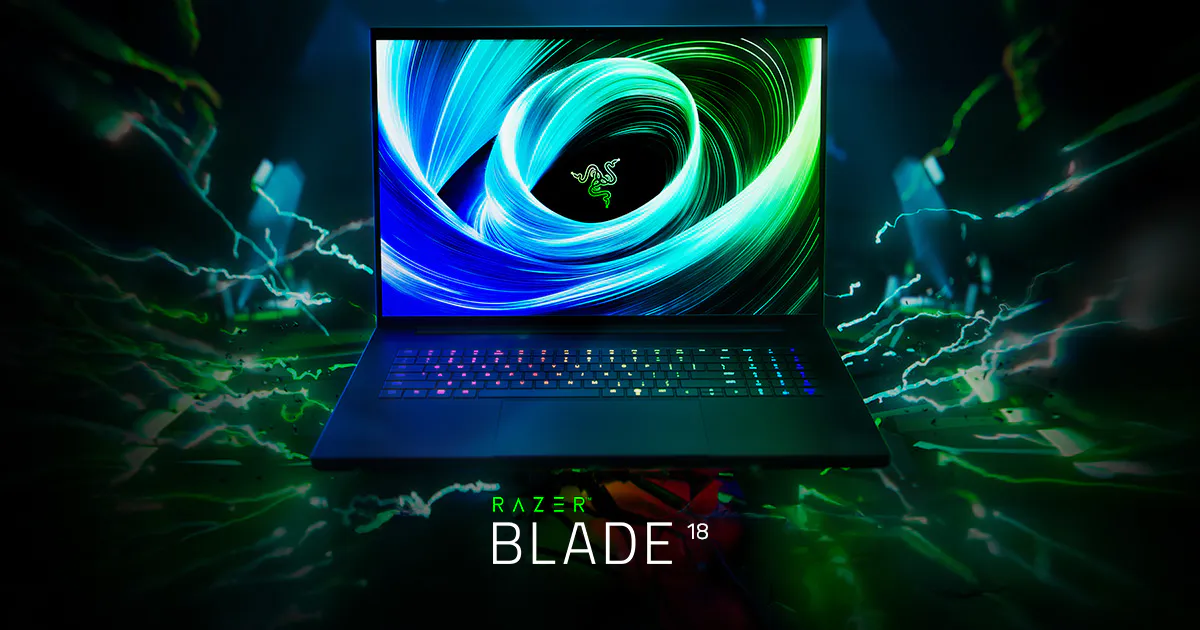
If best means maximum performance with fewer compromises than most gaming laptops, the Razer Blade 18 (2025) is one of the clearest answers this year. It aims squarely at the desktop-replacement crowd, pairing flagship-class components with a surprisingly practical set of ports for an 18-inch machine.
It is also extremely expensive, heavy, and realistically a laptop you move between rooms (or flights) rather than one you carry all day.
Product Snapshot
Product: Razer Blade 18 (2025)
Category: Premium 18-inch desktop replacement gaming laptop
Key highlights (configurations vary by retailer):
- CPU: Intel Core Ultra 9 275HX (varies by configuration)
- GPU options: up to NVIDIA GeForce RTX 5090 Laptop GPU (varies by configuration)
- Display: 18-inch dual-mode panel (UHD+ 3840×2400 up to 240Hz, or FHD+ 1920×1200 up to 440Hz, depending on mode)
- Ports: Thunderbolt 5, Thunderbolt 4, HDMI 2.1, USB-A, UHS-II SD card reader, 2.5Gb Ethernet, 3.5mm audio (port availability can vary by region/config)
- Weight: around 3.1kg (expect a large power adaptor as well)
Design and usability
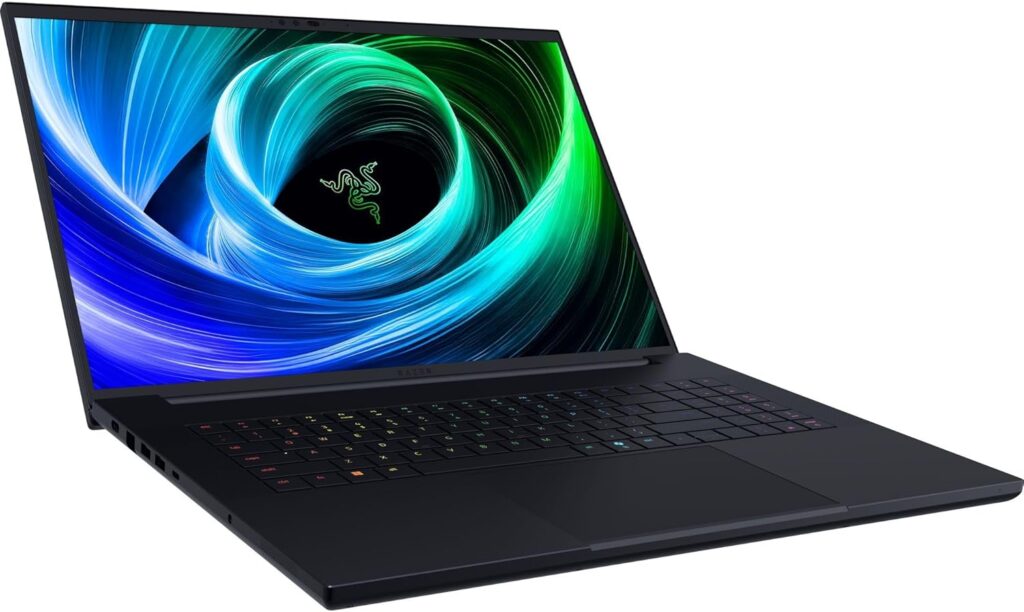
The Blade 18’s appeal is simple: you get a premium-feeling chassis and desktop-style connectivity without relying on a dock for everything. That matters for students and creators who bounce between monitors, external storage, wired networking, and lecture hall displays.
The trade-off is portability. At roughly 3.1kg before you add the charger, this is a desktop replacement first and a travel laptop second.
Display
The headline feature is the dual-mode display. You can prioritise crisp detail for single-player games and creative work, then switch to an ultra-high refresh mode for competitive titles. It is a genuinely practical idea if you play a mix of genres.
One note of caution: colour performance and brightness can vary between panels and configurations. If you buy for colour-critical work, look for a retailer listing that clearly states the panel characteristics and colour coverage.
Performance
With high-end Intel HX-class CPUs and top-tier NVIDIA laptop GPUs available, the Blade 18 is built for buyers who want high settings, high resolutions, and strong performance on external displays. In the real world, that means it is well suited to demanding AAA gaming, GPU-accelerated creative apps, and heavier multitasking.
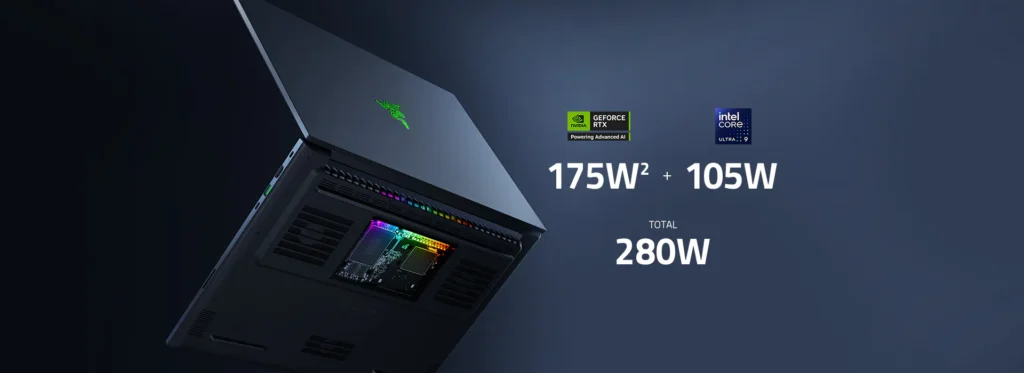
As with any flagship gaming laptop, actual results depend on the exact GPU, power limits, and cooling profile in your chosen configuration.
Cooling, noise, and battery reality
Big performance requires big cooling. An 18-inch chassis gives Razer more thermal headroom than a thin 14-inch machine, but noise is still part of the deal under sustained loads. If you routinely play late at night in shared spaces, fan noise is worth considering.
Unplugged gaming endurance is not the point of a laptop like this. Treat battery life as a convenience for light tasks, not something to rely on for serious play.
Ports and connectivity
Ports are a major reason to pick the Blade 18 over slimmer flagships. Thunderbolt 5 is particularly attractive if you plan to run high-bandwidth docks or fast external storage, while HDMI 2.1 is useful for modern TVs and high-refresh monitors.
If you stream or move footage, the SD card reader and 2.5Gb Ethernet are practical bonuses that many premium laptops still omit.
Upgrades and longevity
For a premium machine, it is reassuring that this class of laptop typically supports SSD upgrades, and some configurations use slotted memory. Before buying, confirm whether the specific Amazon listing you are considering uses upgradeable RAM, as configurations can differ.
Price and value
Value is the Blade 18’s biggest hurdle. You are paying for top-end components, a premium chassis, and a standout display concept. If you just want strong 1440p gaming per dollar, mid-tier machines often look far more sensible.
Pros and Cons
Pros:
- Flagship performance potential in RTX 5090-class configurations
- Dual-mode high-refresh display concept is genuinely useful
- More complete port selection than many premium thin-and-lights
- A true desktop-replacement experience for gaming and creation
Cons:
- Very expensive, even compared with other high-end gaming laptops
- Heavy and bulky, plus a large charger
- Fan noise under load is part of the experience
- Configuration differences matter, you need to read the listing carefully
Alternatives
If you want a different balance of price, portability, and performance, these are strong alternatives that are commonly available on Amazon.com. Availability and configurations change often, so use these as starting points.
Razer Blade 16 (2025): More portable than the 18-inch model, still premium, often a better fit if you travel frequently. Check price on Amazon
Lenovo Legion Pro 7i (Gen 10): A performance-focused workhorse that often competes strongly on value versus ultra-premium designs. Check price on Amazon
HP OMEN MAX 16 (2025): A more mainstream high-end pick if you want strong gaming performance without going all the way to 18-inch luxury pricing. Check price on Amazon
Who it is for / Who should skip it
Buy it if:
- You want a true desktop replacement and are willing to pay for top-end components
- You value ports and display flexibility as much as raw frame rates
- You mostly game plugged in and often use external monitors
Skip it if:
- You commute daily with your laptop and want something genuinely lightweight
- You prioritise quiet operation and long unplugged sessions
- You want the best gaming laptop value rather than the best at the top end
FAQ
Q. Is the Razer Blade 18 (2025) really the best gaming laptop of 2025?
A. If your definition of best is top-tier performance in a premium desktop-replacement form factor, it is a strong contender. If your priorities are value, portability, or battery life, you may be happier with a different style of laptop.
Q. Which configuration should I buy?
A. Start with the GPU tier, then choose enough storage for modern game installs. Where possible, prioritise 32GB RAM for heavy multitasking, content creation, or modded games.
Q. Do I need Thunderbolt 5?
A. Only if you use high-bandwidth docks or very fast external storage. If you mainly plug in a monitor and mouse, Thunderbolt 4 or USB4 is often enough.
Q. Is it good for university work as well as gaming?
A. Yes, it can easily handle productivity and creative apps. The main question is whether you want to carry an 18-inch, 3kg-class machine around campus.
Ready to buy? Razer Blade 18 (2025) on Amazon.com
Please note that some links in this article are affiliate links. If you found the coverage helpful and decide to pick up the game, or anything else for your collection, through one of those links, we may earn a commission at no extra cost to you. We use this approach instead of filling Spawning Point with intrusive display ads, and rely on this support to keep the site online and fund future reviews, guides, comparisons and other in-depth gaming coverage. Thank you for supporting the site.






 is a no-compromise 18-inch gaming laptop with RTX 5090 options, a dual-mode 4K/240Hz and 1200p/440Hz display, and Thunderbolt 5. Here’s what it nails, what it doesn’t, and who should buy it.)